November 10, 2026
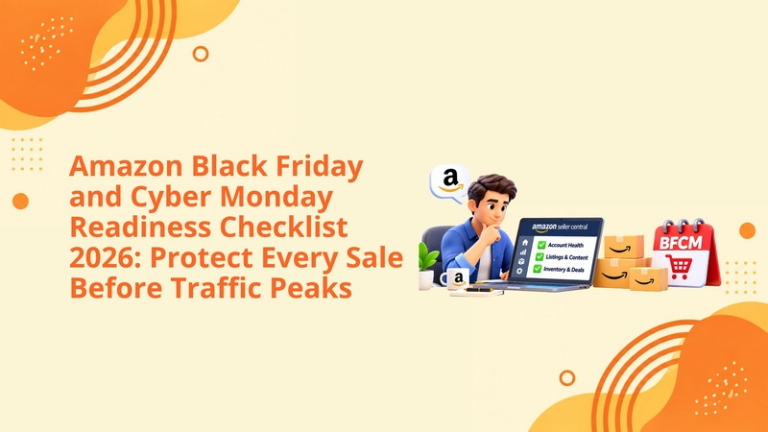
Amazon Black Friday and Cyber Monday Readiness Checklist 2026: Protect Every Sale Before Traffic Peaks
Every type of elasticity will be used in relation to an Amazon account during Black Friday/Cyber Monday.
An item that is working fairly well on a normal day could be underperforming with stiff competition. An inventory deficiency that is manageable can turn to stockout in a matter of hours. A promotion that is suppressed can nullify weeks of work. An ineffective campaign can end up spending all its budget much earlier than the sales start picking up.
This is the very reason why preparations for BFCM go beyond promotions and additional advertising budgets.
Sellers should ensure that their inventory is available, product pages are optimized, deals are valid, account health problems are solved, and advertising campaigns are ongoing or planned before the date as suggested by Amazon.
In addition, Amazon made the 2026 BFCM deal-sourcing window wider, so sellers have one last chance to prepare deals that meet the requirements as the date has been moved until November 13. On the other hand, this widening does not substitute for previous deadlines for the inventory nor guarantees that every ASIN will pass the qualification.
Now, it is high time for the sellers to stop considering BFCM as an upcoming campaign and start treating it as an operational event.
This Amazon Black Friday and Cyber Monday checklist explains what sellers should check on and why it is crucial to do so and how to avoid problems that are easy to solve while awaiting the holiday influx.
Discounts may attract customers, but they do not constitute the only aspect of the purchase decision.
The customer must still locate the item, comprehend its significance; have confidence in the listing, make the right choice regarding attributes, find a reasonable price, and obtain trustworthy delivery promises.
That means BFCM performance depends on several connected systems:
A failure in one area can reduce the value of every other investment.
For example, a seller can invest in Sponsored Products to get prime ad placement, yet if there are problems with the detailed view, the campaign is ineffective. Similarly, a listing that gets a lot of views cannot capture sales if its promoted version is not available.
The final readiness audit’s aim is to identify these flaws while the seller still has time to react.
Inventory is the foundation of every BFCM strategy.
Retailers must check that the delivered products can be sold. Products listed as on the way, reserved, moved to another store, or undergoing investigation will hardly satisfy customer demand during the event.
Review the inventory status of each priority ASIN and variation. Pay particular attention to:
Although a product family may seem to meet the demand at the primary level, quite often, it runs out of stocks in regard to its top SKU in terms of size, colour, style, and packaging. Each ASIN should be assessed individually.
Do not rely only on the current unit count.
In order to calculate supply days considering the expected demand for the all-day event, all discounts, promotional campaigns, advertising efforts, organic traffic, and other influencing factors of demand must be taken into account.
If inventory is limited, decide in advance whether to:
The objective is not to create the highest possible sales spike. It is to capture demand without losing availability too early.
Check the Shipment Performance Dashboard and access shipment plans for any shipment that is delayed, misrouted, incomplete, or has inventory that is experiencing receiving problems.
When the inventory has physically arrived, but it can’t currently be sold, find out whether the merchandise is still at Amazon for processing, in transit, or whether the company is looking into the discrepancy.
Inventory that is referred to as “in transit” should not be considered guaranteed event stock.
Higher traffic strengthens and weakens a listing at the same time and makes it more successful.
Prior to BFCM, examine the overall user experience starting from search results to the purchase.
The first image of the listing should show a product in accordance with the guidelines established by Amazon.
Ensure to check if the product is filling the whole frame of the image, that it is well shown even at small thumbnail sizes, and that users would be able to easily find this particular listing among others.
Do not add any additional text, badges, watermarks or elements that are against the admissible main image rules set by Amazon.
Supporting images should answer the questions customers are most likely to ask before buying.
Depending on the product, the sequence may need to communicate:
Avoid filling every image with large paragraphs. Customers should understand each visual within seconds, particularly on mobile devices.
Please make sure to create precise, clear titles in accordance with the current category demands of Amazon.
Bullet points should indicate important advantages connected with your products and contain necessary key search phrases. No keyword stuffing, claims about competitive advantages, time-restricted promotions, and very high redundancy rate are allowed.
This BFCM customer may review several products quickly. Direct information is much more convincing than exaggeration.
A+ Content can help in streamlining marketing strategies, answering any questions related to the products, and providing details on their features as well as comparison with similar products available in the market.
Check all A+ modules for:
A+ Content should not only list out these bullet points but also aid customers in making an informed purchase decision.
View the listing on desktop and mobile.
Check whether:
The seller should see what the customer sees, not assume that the latest backend contribution is live.
The last date for Amazon's deal sourcing for the qualified deals for Black Friday and Cyber Monday in 2026 has been changed to November 13.
Sellers are to look at their Deals dashboard since Availability, recommendation status, Marketplaces, ASIN qualification, and promo types vary.
Do not assume a submitted deal is ready.
Check whether it is:
The arrangement’s state can change based on changes in the price of the goods, the reference price, inventory, ratings, listing options, and others.
Keep watching the arrangement until it starts working.
Make sure that the deal's price has the needed discount according to the reference price validated by Amazon and the historical pricing rules.
A seller might want to give a good discount but still not be approved if Amazon cannot validate the reference price or the prices changed recently.
Don’t change the price immediately before an event or any other situation with the goal of showing a bigger discount. It will break the customers’ trust and contradict Amazon pricing rules.
Amazon promotions can sometimes combine.
A deal may overlap with:
Check any prices associated with the promotion offered. You could potentially lose more margin than expected due to unforeseen stacking.
Confirm numbers of committed units, and that the inventory is sufficient.
In the family case, also include the percentage of eligible variations, within limits. Missing or newly added children can cause problems.
Do not make unnecessary changes in the parent-child structure after submitting the promotion.
An unresolved account issue can become far more expensive during BFCM.
Review the Account Health Dashboard and address:
Organize the necessary paperwork in advance of the event, including vendor receipts, letters of authorization, product-test documentation, licenses, photographs, and packing information if applicable.
An effective listing and thriving business will not be of any use if payments or selling rights are interrupted due to old account details.
Confirm:
Restrict important access rights to reliable users and ensure the right team is able to react in case Amazon demands an urgent response.
Amazon suggests that one starts with advertising much earlier rather than going for BFCM.
Getting started early offers campaigns a better opportunity to gather data, find related keywords, and claim visibility before competitors come into play.
Create a clear purpose for each campaign.
A BFCM advertising structure may include:
Avoid using all keywords and products in one ad campaign. A clear structure will allow one to manage performance, budget, and bids easily.
More traffic can lead to spending all of the budget earlier than expected.
Increase budgets based on profitability and coverage of inventory supply—not just because more traffic is on the horizon.
Prioritize campaigns that have:
A campaign with a lowering ACOS can still be unprofitable after taking discounts, referral fees, FBA fees, and cost of products into account.
Confirm:
A scheduled marketing plan that has a wrong date, an inactive ASIN, an approved creatives, or an inadequate budget might offer no value during the campaign.
In case advertising guides customers to a brand store, ensure that the brand store is approved, mobile optimized, user friendly, and relevant to the promoted product.
The messaging of any promotion should comply with Amazon Ads policies. In case one uses BFCM messaging, the current guidelines should be reviewed.
BFCM may produce great sales figures but with minimal profits.
Before going ahead to give bigger discounts or allocate more money for ads, calculate the contribution margin per event.
Include:
Calculate the highest advertising expenditure possible for the ASIN considering the event discount.
Should the margin be too thin, go for a smaller discount, change the product, control the budget, create a bundle, or try another form of promotion.
The most effective event promotion is not necessarily the one that generates the highest revenue.
Preparation does not end when the event begins.
Monitor the account throughout the event for:
Avoid making rushed decisions based on a few hours of data. Traffic to events will vary during the day.
Nonetheless, be quick to react when there’s a problem. A suppressed deal, unlisted variation, disapproved ad, and/or a warning on an account cannot wait until the end of the event.
BFCM data can improve the rest of the holiday season and future campaigns.
Review:
Separate profitable growth from volume discounts.
Pinpoint which keywords, ASINs, audiences, creatives, and placements resulted in commercially worthwhile orders. Use this knowledge in holiday advertising, replenishment, retargeting, and future events’ tactics planning.
We assist Amazon sellers in preparing for BFCM as a single entity doing business rather than individual tasks being performed separately.
Our team can review and manage:
We link advertising decisions to inventory and margin.
When the ASIN has high performance in advertising but low inventory, we ensure that the seller doesn’t create demand for an amount that he/she cannot fulfill. When there is enough inventory but low conversion rate on a particular product, we analyze the listing before driving traffic to it. When the discount makes it unprofitable for you to sell the product, we recognize the problem before the event reveals it.
That’s the difference between ticking boxes and creating a BFCM strategy.
Black Friday and Cyber Monday can speed up sales, bring in new customers, and increase brand awareness.
Black Friday and Cyber Monday will also highlight any issues with inventory, inefficient marketing, poor listing, hidden deals, and account health issues faster than a normal sales period.
It is now time to check everything on your account.
Check your inventory. Check your listing. Protect your deal. Solve Account Health issues. Prepare your marketing. Calculate your profit. Assign monitoring tasks.
Traffic during peak times is useless if your account isn’t prepared for it.
Sellers should review inventory, listing quality, deal status, account health, advertising, fulfilment, and event profitability.
Amazon has extended the deadline to November 13, 2026, for eligible deal opportunities. Sellers should confirm availability in their own Deals dashboard.
Only when inventory, conversion, and contribution margin can support additional traffic. Budget increases should be based on profitability.
Pricing changes, inventory shortages, listing problems, eligibility changes, or failure to meet promotion requirements can suppress a deal.
Review sales, conversion, ad spend, CPC, ACOS, TACOS, margin, inventory, returns, and the performance of individual keywords and ASINs.
Your inventory, promotions, listings, advertising, account health, and profitability can be reviewed before the event starts.
Ask for your Amazon BFCM Readiness Audit.
Identify the problems that can impact your sales and create an integrated plan to safeguard your visibility, conversion, and margins during the event.
Schedule a strategy call with our team.
Follow Big Internet Ecommerce (BIE) on Instagram & LinkedIn to stay updated with the latest trends in Amazon selling.
Fill out the form and our experts will get back
to you within 24 hours.


We respect your privacy. Your information is safe with us.