November 11, 2026
Amazon Reporter Assistant: How AI Can Help Brands File Better IP Infringement Reports
When you discover potential IP infringement on Amazon, it might be a time-sensitive situation.
You may come across a vendor selling counterfeit things, a rival utilizing your copyrighted photos without permission, a registered brand used misleadingly on a product description page, or another product that appears to infringe on your protected design or idea.
This needs to be handled immediately, yet mistakes can happen.
When reporting infringement on Amazon, you must identify the IP rights you possess, choose the appropriate material, describe the nature of the infringement, and give proof to back up your claim. If you are unsure which path to take or leave out important information, your notification may be rejected.
Amazon has developed a useful AI tool called Reporter Assistant.
This is available to qualifying Brand Registry users with Rights Owner or Registered Agent rights. It will guide you through the submission process, explain what proof is required, which infraction category you pick, and assist you correct any errors on the form.
While Reporter Assistant can help you understand the process, it does not validate your report, promise it will be approved, or replace the standard procedure.
This tutorial will explain what Amazon Reporter Assistant does, how it might benefit your brand, and what sellers need do to prepare to file an IP infringement complaint.
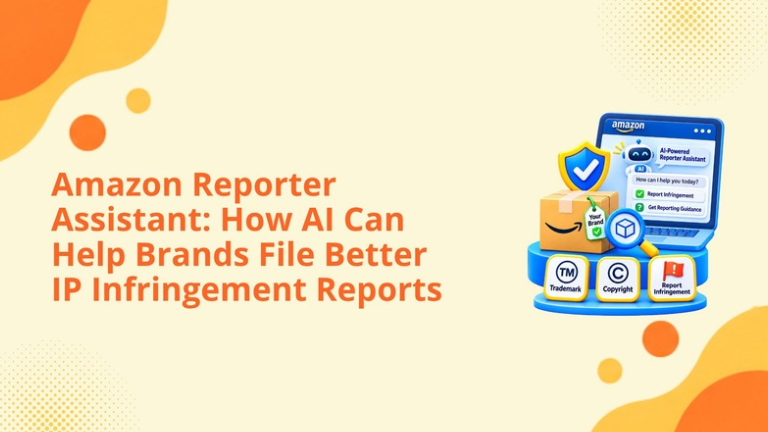
The Amazon Reporter Assistant is an AI chatbot available within the Report Infringement flow.
During the reporting process eligible users can click on the Ask Reporter Assistant button to ask questions or select from suggested prompts.
Reporter Assistant is designed to help users:
This support is offered at the time of reporting. The brand can be asked questions as they complete the notice, rather than having to go through multiple help pages.
This tool will reduce preventable mistakes but will not offer any legal advice nor will it tell you whether your brand will be successful in infringement.
Reporter Assistant is only available to Amazon Brand Registry users with the Rights Owner or Registered Agent protection role.
These roles are distinct from selling rights.
Users can have access to Seller Central, advertising, A+ Content, Brand Analytics and/or catalog management but not have the right to add IP alerts.
Reports can be made by a Rights Owner for intellectual property owned by them.
Reports can be made by a Registered Agent on behalf of a Rights Owner who has granted them permission to act on their behalf.
Before any urgent issues are raised, Brands should ensure their roles are correctly set up in Brand Registry. Delay can occur if it is found that the user you want to make a report with doesn’t have access.
Administrators should also ensure that any out of date users are removed. Ensure agencies, legal representatives, employees and other partners only have access to what they need.
An infringement report can fail for reasons unrelated to the seriousness of the brand’s concern.
Common problems may include:
Reporter Assistant can help users understand these distinctions before they submit the form.
Better guidance does not remove the need for accurate evidence, but it can help the brand avoid preventable procedural mistakes.
The Amazon Report Infringement process can be used for a variety of IP issues such as trademarks, copyrights, patents and design rights where appropriate.
The correct category will depend on which right you are claiming has been infringed and where the issue has occurred.
A trademark may protect a brand name, logo, or another identifier that distinguishes the source of goods or services.
A brand may have a potential trademark concern when:
Generally only trademarks registered to your Brand Registry account and valid to the marketplace will be available.
For example, any trademarks registered within one country may not be valid to the country where you wish to make a takedown request. Rights holders should ensure that they have the correct trademark by checking the registration, status, owner, classes and jurisdiction.
Amazon may advise that a test purchase needs to be completed to ensure that the product or packaging uses the protected trademark. If the brand completes a test purchase, this can be used with the order number.
Copyright may protect original images, graphics, written content, packaging artwork, videos, and other creative work.
A copyright concern may arise when another product page copies:
Make sure you clearly state what has been infringed and where it appears within the content.
If only one image has been infringed then make sure you highlight the correct image. This will help Amazon understand exactly what it is you want them to do.
If the suspected copyright infringement is on a physical product or packaging, you can check by purchasing the item.
If the work isn’t registered, then depending on your reporting route and marketplace, Amazon may allow you to provide an example link or detailed description.
Patent claims need to be carefully considered.
The patent must be active and valid in the Amazon store you are raising the notice in, and the product needs to be compared to the specific claims that are protected.
Some utility patents will require a court order, an International Trade Commission order or identification from Amazon Patent Evaluation Express to be raised.
Patent claims can be complicated and technical. If the scope or validity of the patent claim is unclear, we recommend seeking advice from a qualified patent attorney.
The Reporter Assistant can advise you on how to complete the process with Amazon, but they cannot give legal advice on whether the product infringes your patent.
Depending on the marketplace, registered design rights may protect the visual appearance of a product.
The brand should confirm:
Design rights vary by country. Brands operating internationally should not assume that protection in one marketplace automatically applies in every other Amazon store.
One of the most important decisions is choosing the correct reporting target.
Choosing this option will make Amazon review your whole product details page including the offers and related content.
This might be appropriate if the product or packaging is alleged to infringe on your brand rights and all offers are for that infringing product.
However, it should not be selected as a default option for all complaints.
The product detail page could be genuine but the seller offering the item may be offering fake or infringing goods.
By reporting the particular offer you are helping to protect genuine ASINs and genuine sellers by targeting the suspected source of the issue.
Before submitting please ensure you have not accidentally selected your brands offer or an authorised seller.
If another listing is using the original brand image, infographic or text, the brand may need to identify the image / text.
This will mean the ASIN will stay active whilst Amazon investigate and take down the copied content.
Ensure your chosen target is the correct one for the action you're requesting the rights owner to take.
Reporter Assistant can create value at several points in the workflow.
This may cause issues with Trademark if a logo is copied or Copyright if product images are copied.
Choosing the wrong category can cause an incomplete or irrelevant report. Reporter Assistant can be used to give advice based on policy.
Different types of evidence are required.
This tool can help you to understand what information you might need such as a trademark number, patent information, copyright details, order number, sample of original work etc.
Reporter Assistant can help users consider the most appropriate scope of the concern.
This reduces the risk of users reporting content that should not be reported or asking for more extensive enforcement than is justified by the evidence.
Form completion may be prevented by missing information, conflicting and incorrect choices.
The Reporter Assistant can highlight possible issues with the form whilst the user is completing it.
By providing a more accurate initial report, it can reduce the chance of having to start all over again due to a preventable rejection.
This doesn’t mean you won’t get rejected but means you can improve the accuracy and thoroughness of your report.
Brands should understand the tool’s limits.
Reporter Assistant does not:
All reports are subject to Amazon’s usual review process.
Amazon may dismiss your report if there is not enough evidence to support your claim, the right is not actionable in that country, you have reported the incorrect content, or it does not fit within Amazon’s accepted infringement process.
Incorrect/inauthentic reports can result in loss of reporting privileges so try to be as accurate as possible.
Reporter Assistant works best when the user has already collected the core facts.
Prepare:
Group together the evidence. Do not mix unrelated claims of trademark infringement, copyright infringement, and patent infringement.
The type of complaint selected on the form will generally be used by Amazon. However, if there are separate trademark and copyright issues with the same product, then you may need to issue separate notices.
Not every unwanted marketplace activity is an intellectual property violation.
Brands should be cautious when the issue involves:
An unauthorised reseller may cause unnecessary headaches.
Filing an IP report without proper grounds may cause it to be rejected and affect the brands reporting history.
Identify what the real issue is and the correct solution could be to handle in Catalogue Management, enforce with a Distributor, perform test purchasing, communicate directly with the seller, contact Brand Registry, consult legal or complete another process on Amazon.
After submission, monitor Submission History for the complaint status and Amazon’s response.
Amazon may:
If your report is rejected, please check the reason and make sure you fix any issues before resubmitting.
If there have been any changes to the situation or if you made an error when submitting, you can any valid complaints in the Submission History.
Keep an internal record containing:
This record helps the brand identify patterns and maintain consistency across future reports.
We help Amazon brands connect Brand Registry access, marketplace monitoring, catalog control, and reporting operations.
Our brand-protection support can include:
Identify the issue
Is it suspected fake, copied, trademark abuse, catalog item, unauthorised resell, price or distribution issue?
We will then help you streamline the process on Amazon. This will enable your brand to be proactive and not using lots of different methods (screenshots, emails, untracked complaints).
If you have one seller that appears to be selling counterfeit units we may want to report on the specific offer. If you have another listing that has copied original images we may want to report on the copyright issues. However, if the issue is that they are just reselling without authorisation your brand may require a different strategy.
This can help your brand ensure that genuine listings are being protected and reduce any unnecessary errors when reporting.
We are not providing legal advice. If there are complex ownership, licensing, patent and jurisdictional issues we would recommend speaking to an appropriate attorney.
Our role is to help your brand keep a clean access, organised evidence, accurate catalog, structured monitoring and efficient Amazon processes.
Reporter Assistant can help to simplify the process of reporting infringements on Amazon.
As you fill in the form it can explain what options are available, what evidence you should include, what information you need to provide and common mistakes.
This is really useful, particularly for brands who have had trouble understanding why their notice was rejected.
However, your results will still depend on the quality of your claim.
You will need to ensure that you either own or represent the relevant right, select the correct marketplace, report the correct content, provide accurate evidence and not report every commercial dispute as an IP infringement.
Whilst AI can help you through the process, you still need to ensure that you have done your due diligence, have processes in place and have legal insight.
It is an AI-powered guidance tool inside the Report Infringement form that helps eligible users understand reporting paths, evidence requirements, and form errors.
It is available to Brand Registry users with Rights Owner or Registered Agent protection permissions.
No. Every notice remains subject to Amazon’s standard review process.
No. It helps users prepare reports but does not independently approve notices or remove listings.
No. Unauthorized resale, pricing, or distribution disputes do not automatically constitute intellectual property infringement.
Don’t wait until fake offers or duplication is impacting your customers.
Take a look at your Brand Registry roles, ensure you have accurate ownership details, original creative and authorised partners. Then set up an internal escalation process.
Request your Amazon Brand Protection Review.
We can take a look at your Brand Registry access, catalogue visibility, suspected infringements, documentation and reporting process to help you streamline your brand protection process.
Schedule a strategy call with our team.
Follow Big Internet Ecommerce (BIE) on Instagram & LinkedIn to stay updated with the latest trends in Amazon selling.
Fill out the form and our experts will get back
to you within 24 hours.


We respect your privacy. Your information is safe with us.