October 27, 2026
Beyond Passwords: How Amazon Seller Central Passkeys Can Protect Your Account and Simplify Access
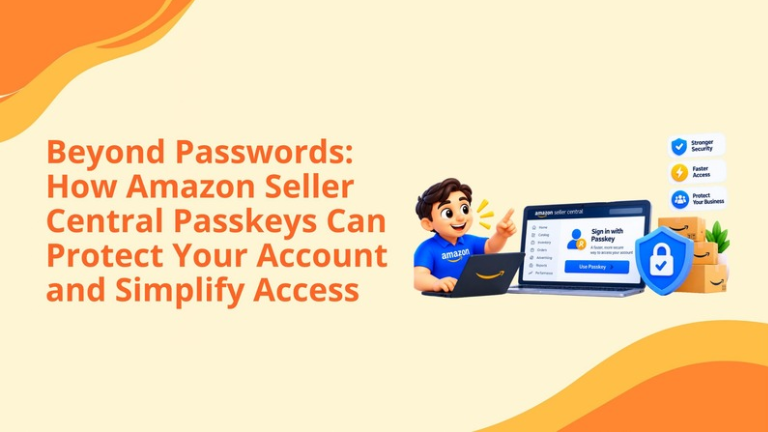
Every single Seller Central account grants access to much more than merely a user interface. This account can provide vital information about running an Amazon business smoothly, such as inventory status, advertising, payments, orders, customers, product listings, and account settings, among others.
That makes access to an account both imperative and sensitive. Amazon encourages sellers to start using passkeys to make authentication faster and less vulnerable to phishing attacks in comparison to passwords. Unlike having to memorize one more password or wait for a one-time passcode, sellers can authenticate themselves via any method of identification that suits them—fingerprint scanning, facial recognition, PIN, or screen lock of their device.
As Amazon states, using a passkey can help an individual get authenticated six times faster than when using a password, and a new method can be implemented in a minute or less. The company has expanded passkey availability to selling partners and has indicated that passkeys may become required for certain accounts or security-sensitive functions.
However, for sellers, speed does not play as vital a role as an opportunity to increase the level of account security and develop a better management system for accessing their secured system for staff members, agencies, freelancers, and other authorized users.
An Amazon Seller Central passkey is a digital sign-in credential that lets an authorized user access an Amazon account with a device-based authentication method.
Depending on the device and operating system, that authentication method may include:
Once you set up a passkey, the user is able to log in without using a traditional password to authenticate themselves every time.
A passkey works with the principle of public key cryptography wherein the service provider has access to the public key whereas the private key is stored solely in the user's device. The private key is not provided to the website contrary to the usual practice of providing passwords.
This makes passkeys secure from phishing attacks. A malicious website cannot simply intercept and use the user's passkey.
Any password causes problems with security and productivity. People may forget them, reuse them multiple times, store them in insecure folders, text them over chat, or type them into misleading phishing sites.
Seller Central accounts can be particularly attractive targets because they may provide access to:
Different types of unauthorized access can disrupt operations as well as revenue. An example in this case is compromised account that can cause accidental listing changes, modifications in advertising campaigns, changes to banking information, account lockout, and leakage of sensitive information.
Passkeys decrease reliance on reused credentials, thus making it impossible for the hacker to use the normal way of hacking the user’s password or persuading him to put his password into a bogus website.
Amazon’s implementation signals the move towards passwordless authentication. For FIDO, the organisation that works on developing open standards of authentication, passkeys are credentials free from phishing attacks, which significantly reduce credential stuffing and other remote attacks.
During the course of a day, Amazon sellers could log in multiple times—sometimes from different devices. They might need to look at advertising performance on a laptop, check their stock on a tablet, confirm an order from a phone or react to an account alert quickly.
A passkey eliminates the hassle of repeatedly inputting a password and waiting for a verification code. Amazon reports that passkey authentication can be six times faster than entering a password.
A few saved seconds may seem minor. Across multiple users, devices, and daily sessions, however, the smoother workflow can become meaningful.
A phishing message can appear to be coming from Amazon and lead each seller to a fake login page. If someone enters their password or verification code, the hacker will attempt to gain access to an account right away.
Conversely, a passkey acts differently. It links to the legitimate site and doesn't allow filling the login fields in a similar-looking domain. As a result, it becomes much harder for a phisher to obtain any credentials for repeated use.
In spite of the fact that passkeys solve a lot of problems with criminal attacks, they still do not guarantee complete protection. Companies need to take care to secure all their devices and accounts, e.g., email and connected apps.
Password-reset interruptions are inconvenient during normal operations and potentially costly during time-sensitive situations.
A seller might need urgent access to:
Device-based authentication can reduce reliance on memory and make regular access more dependable.
One can connect a passkey through a respected and verified password manager in order to use the passkey across devices. This could eliminate the necessity to have to create an altogether different credential on every device such as a smartphone, tablet, and laptop.
Each experience is unique based on the device configuration, operating system, and browser being used to create this passkey. Sellers must conduct sufficient tests of access whenever they want to use the passkey on a device.
Amazon claims that passkeys are already available to its partners in business and may soon be mandatory for some accounts or sensitive operations. Taking the time to set up a passkey before making it obligatory allows sellers time to test their devices, offer access to their team members, and troubleshoot login issues without being under pressure.
A passkey is intended to identify and authenticate an individual user. It should not become a new version of the shared office password.
Amazon recommends creating individual secondary-user accounts for people who need access to the same seller business. Each authorized user should have a separate login and register a personal passkey.
This approach creates several advantages. To begin with, all staff members can log into Seller Central without needing the account owner’s phone or password manager.
Furthermore, the authority can be allocated based on the person’s role in the processes. As an example, staff members in logistics might use inventory and store information on shipping but will not require any access to data regarding payments. Conversely, a person from the marketing department might not be in charge of user management but might need access to information about campaigns.
Ultimately, separate accounts mean greater accountability. If many people use the same login information, the level of accountability decreases and leads to difficulties in figuring out who was responsible for a particular action.
Fourth, removing one employee becomes safer. An administrator can revoke that person’s access without changing the primary account credentials for everyone else.
External agencies, consultants, freelancers, and service providers should not receive the primary account owner’s credentials or personal passkey.
They should use Amazon’s approved access and authorization processes, with permissions limited to the services they perform.
Before granting access, sellers should confirm:
The strategy is simple: every user must have at least the minimum required access for carrying out their assigned task. While passkeys help improve authentication, they do not solve the problem of excessive authorization. Even if a legitimate user has access beyond what is necessary, there will still be a risk of performing certain unnecessary operations with the account.
The interface may vary slightly by account and device, but sellers can generally follow these steps:
During the login process on Amazon, users might receive an enable-passkey prompt. Sellers should carefully follow the guidance on their respective accounts and check the Passkey Verification help page if the labels differ.
Review all employees, contractors, agencies, and service providers that can access the account. Then remove inactive users and determine whether every active user still needs the permissions currently assigned.
Create individual secondary-user accounts for internal employees. Give each person a unique login and only the permissions necessary as per their role.
A passkey is typically dependable only according to the associated access service. One’s device should run an updated operating system and have robust screen locks and recovery options.
Users should be aware of the access to be given and who will be able to unlock their devices.
If feasible, one should link other reliable devices to access by the secure passkey provider. This can make the recovery process smoother when the primary device is lost, damaged, or unavailable.
Avoid accessing your account on public, shared, or untrusted devices.
Make sure your email address, phone number, and other account recovery information are accurate and kept safe.
Passkeys minimize risks connected to passwords, but sellers should still consider recovery.
The loss of your device does not automatically mean losing your Seller Central Account. As long as your passkey is stored in a reliable password manager, you might have it saved on some other devices. Furthermore, if someone is logging in on a device with no passkey saved, they can use a smartphone or tablet for QR code scanning purposes.
Sellers should act immediately when their devices are lost or stolen:
A passkey should be assigned to a single user only because sharing a password manager or primary device can compromise the security benefits of passkeys.
The process of authentication signifies the identity of a user, while the permissions control the actions of that user. Therefore, both of these should be handled in the proper manner.
The dependency on one phone or computer applies unnecessary pressure on recovery options. The best option is to have a secure backup solution wherever it is applicable.
A secure passkey will not guarantee the protection of the business from the unblocked account being accessed. The regular review of the accounts and connected services is essential.
When passkeys have become a requirement for a specific account or other functions, then the process of obtaining them may be misleading. The sooner you get it, the better because it will give enough time for the testing and learning of staff.
Thinking that the use of passkeys is sufficient to solve all potential problems. While passkeys address significant issues.
The smartest sellers will use this update as a reason to examine their complete access structure.
A practical audit should answer the following questions:
This wider review can reveal risks that a simple password change would never address.
The account protection and convenience of e-commerce are interconnected issues.
Retailers must be confident in their access to product listings, inventory, ads, and accounts. If there is a gap in permissions or duties are not properly assigned, it may result in a delay in decision-making and unnecessary risks.
Our goal is to help Amazon sellers achieve stability using store management, SEO, listing creation, advertising, catalog support, inventory tracking, and offsite and onsite e-commerce growth planning.
A new access option will not contribute to listing or advertising optimization in itself. But it can support the secure operating foundation required to manage those activities consistently.
Our team can help sellers review their Amazon business more broadly, identify performance gaps, organize marketplace workflows, improve catalog health, and align advertising with profitable growth.
An Amazon Seller Central passkey is a passwordless credential that lets a user sign in with a fingerprint, face scan, device PIN, QR code, or compatible password manager.
Passkeys are designed to resist phishing and credential theft because they do not rely on a reusable password that can be entered into a fraudulent website.
Amazon has made passkeys available to selling partners, but they are not yet required for every user. They may become mandatory for certain accounts or security-sensitive functions.
They should not. Each employee should have an individual secondary-user account, appropriate permissions, and a personal passkey.
Try another trusted device connected to the same passkey provider. Secure the lost device, review your account settings, and contact Amazon Selling Partner Support if you cannot recover access.
Setting up a passkey is a smart first step, but protecting and growing an Amazon business requires more than secure access.
We help Amazon sellers improve account operations, catalog health, listing performance, PPC campaigns, inventory planning, and overall marketplace growth.
Schedule a strategy call with our team.
Follow Big Internet Ecommerce (BIE) on Instagram & LinkedIn to stay updated with the latest trends in Amazon selling.
Fill out the form and our experts will get back
to you within 24 hours.
.webp)
.webp)
.webp)
We respect your privacy. Your information is safe with us.