Amazon quietly made a change that impacts every Brand Registered seller running Sponsored Brands, building Storefront traffic, or investing in “brand experience” design.
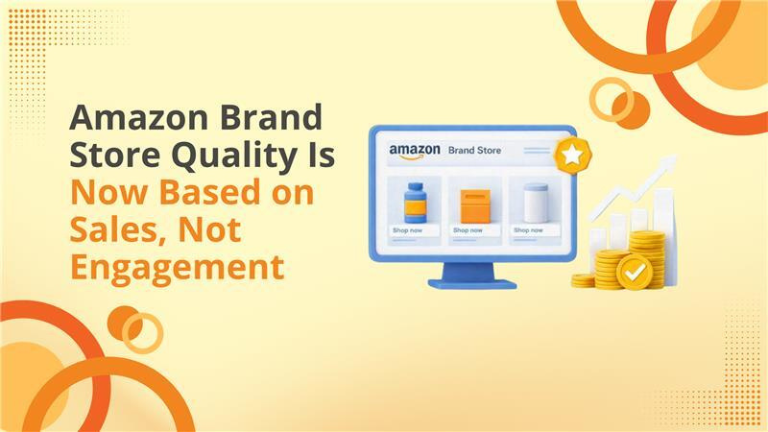
Amazon announced that Brand Store quality ratings now reflect sales performance more than engagement signals like dwell time.
For sellers, this is not a cosmetic update. It’s a measurement change that influences how Amazon wants you to think about your Store:
- Not as a “storytelling page”
- Not as a “catalog”
- But as a revenue engine designed to convert shopper intent into purchases
If your Store is getting visits but not producing Store-attributed sales, your rating can slide to Medium or Low—even if the Store looks polished.
This guide breaks down exactly what changed, why Amazon did it, how to check your rating, and a practical playbook to optimize your Store like a sales funnel.
Contents
- 0.1 What Changed in Amazon Brand Store Quality Ratings
- 0.2 Why Amazon Made This Change
- 0.3 Why This Matters for Amazon Sellers
- 0.4 Where to Check Your Brand Store Quality Rating
- 1 The Sales-First Brand Store Playbook
- 2 Sales-Focused Store Audit Checklist
- 3 Common Mistakes That Will Cost You Under the New Rating
- 4 How Big Internet Ecommerce Helps
What Changed in Amazon Brand Store Quality Ratings
Amazon’s “Brand Store quality rating” classifies Stores as High, Medium, or Low.
Historically, the quality framework emphasized engagement—especially dwell time, the amount of time shoppers spent browsing your Store. Amazon’s own 2024 announcement highlights engagement comparisons and dwell time as a key behavior associated with higher quality ratings.
Now, Amazon states that the quality rating experience has been updated so that:
- Your Store quality rating is based on sales attributed to your storefront rather than visitor engagement time
- You can compare your sales performance with similar brands in your category
- Dwell time remains visible, but the rating focuses on sales performance
Amazon also updated Store optimization recommendations to show potential impact on sales (not just dwell time), which changes how sellers should prioritize Store improvements.
Why Amazon Made This Change
Amazon’s incentives are simple: it wants every shopping surface—search, PDPs, Stores—to produce purchases.
A Store that earns attention but doesn’t drive sales is less useful to Amazon than a Store that reliably converts traffic into revenue. So the “quality” definition moved closer to Amazon’s core business goal: conversions.
Amazon backs this with an internal benchmark: high-quality Stores can see up to 97% more sales than low-quality Stores and up to 39% more than medium-quality Stores.
Why This Matters for Amazon Sellers
This change affects how you build, traffic, and measure your Store.
1) Sponsored Brands traffic becomes higher-risk (and higher upside)
Many sellers send Sponsored Brands clicks directly to the Store. If the Store isn’t designed to guide action, you’ll “pay for browsing.” Under the new model, that can hurt the Store’s perceived quality.
2) Your Store must reduce decision fatigue
Stores that dump every SKU on one page feel “complete,” but they don’t help shoppers decide. Sales-first Stores curate decisions:
- Best sellers
- New arrivals with proof
- Category-specific “Shop by need”
- Bundles or routines
3) Design without conversion intent is now a liability
A gorgeous Store can still fail if:
- It hides best sellers below the fold
- It lacks “next click” guidance
- It doesn’t segment products by customer intent
- It sends shoppers to weak PDPs (bad images, weak bullets, no A+)
Where to Check Your Brand Store Quality Rating
Amazon states you can access this inside the Advertising Console:
Advertising Console → Brand Store Insights dashboard → “Brand Store quality” tab
Amazon also lists broad availability across regions (including US/Canada/Mexico, many EU marketplaces, UAE/Saudi/Egypt, and Asia Pacific markets like Japan/India/Singapore).
The Sales-First Brand Store Playbook
Step 1: Build “Buying Paths” (not pages)
Your Store should answer: What should I buy next?
A simple sales path structure:
- Entry page (intent match): “Best Sellers” + “Shop by Need”
- Collection page: 6–12 curated products max
- Product detail click: benefit-led tiles, clear CTA
- PDP conversion: images, offer, A+, reviews, trust
If your entry page is mostly branding, many shoppers won’t take the next step.
Step 2: Put Revenue Drivers Above the Fold
Above the fold = the first screen on mobile.
Prioritize:
- Best sellers (highest conversion proof)
- Highest margin items (profit focus)
- Review-rich ASINs (trust focus)
- Seasonal winners (timely relevance)
Step 3: Use Collections to Increase AOV
Stores are ideal for cross-selling, because shoppers are still exploring.
Create collections like:
- “Complete the set”
- “Best sellers under $X”
- “New year essentials”
- “Most gifted”
- “Bundles & value packs”
Step 4: Tighten Store → PDP flow
Common friction points:
- Vague category names (“Explore”)
- Too many products per row
- No benefit copy (only product names)
- Weak PDP creative (low image count, no clarity, no comparison)
A Store can’t “carry” a weak PDP. It can only deliver traffic to it.
Step 5: Make Store optimization a monthly CRO routine
Amazon’s update pushes Stores toward conversion rate optimization thinking (testing + iteration).
Sales-Focused Store Audit Checklist
Use this checklist to identify the fastest wins:
Entry Page (Homepage)
- Do your best sellers appear in the first scroll (mobile)?
- Is there a “Shop by Need” or “Shop by Category” section within 1 scroll?
- Do you have a clear primary CTA (Best Sellers / Bundles / Shop Now)?
- Are collections built by intent (problem/solution) rather than internal catalog logic?
- Are you limiting collections to curated options (not 40+ SKUs)?
- Do collections include benefit-led copy, not just product names?
Product Tiles & Click-Through
- Do tiles communicate “why buy” in 2 seconds?
- Are images consistent and recognizable (brand system)?
- Are you using strong micro-CTAs (Shop Best Sellers / Build Your Bundle)?
PDP Readiness (critical)
- Are PDPs optimized to convert Store traffic (images, title, bullets, A+)?
- Are best-seller PDPs the ones receiving Store traffic first?
Measurement
- Are you tracking Store-attributed sales alongside Sponsored Brands performance?
- Are you comparing sections/pages to see where shoppers drop off?
Common Mistakes That Will Cost You Under the New Rating
- Leading with brand story instead of buying intent
- Treating the Store like a catalog dump
- No clear “next click” guidance
- Sending traffic to weak PDPs
- Not curating for mobile-first shopping
How Big Internet Ecommerce Helps
At BigInternetEcommerce.com, we treat Brand Stores as performance assets, not design-only projects.
Our Store optimization approach includes:
- Sales-first Store audit (entry path + conversion leaks)
- Store rebuild into buying paths (intent-based navigation + collections)
- Tile + banner creative that drives PDP clicks
- Alignment of Sponsored Brands landing pages to Store sections
- Ongoing monthly CRO improvements tied to Store-attributed sales
If you want to align your Store to Amazon’s new sales-driven quality rating
Schedule a call with us today!
Follow Big Internet Ecommerce (BIE) on Instagram & LinkedIn to stay updated with the latest trends in Amazon selling.