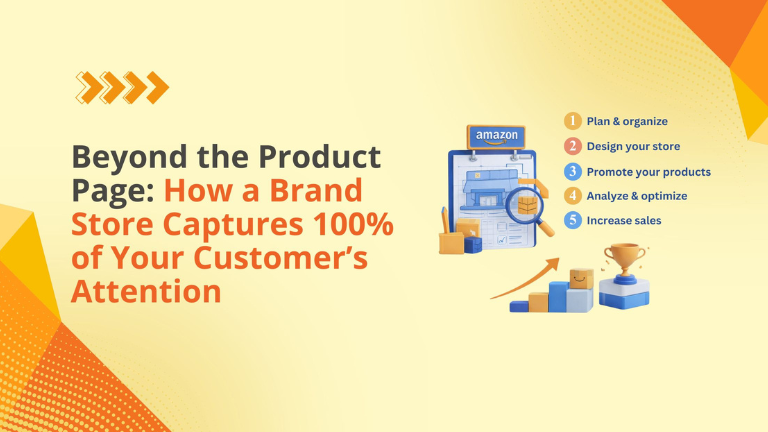
If you are treating Amazon simply as a search engine for individual products, you are missing out on one of the most powerful retention tools the platform offers: The Amazon Brand Store.
A Brand Store is a free, dedicated space where you can differentiate your brand, promote new arrivals, and tell your unique story. Unlike an Amazon Influencer storefront that showcases products from a variety of brands, a Brand Store includes content only from your brand.
Contents
The ROI of a Brand Store
Setting up a store requires time and creative assets, but the return on investment is undeniable. According to Amazon’s internal metrics:
- Higher Frequency: Customers who visit a Brand Store purchase 53.9% more frequently.
- More Cart Adds: Visitors show a 52.1% higher add-to-cart rate.
- Increased Revenue: The average order value is 71.3% higher compared to shoppers who do not visit a Brand Store.
The Prerequisites
Before you can build, you must meet three core requirements:
- Have a Professional selling plan, which costs $39.99 a month plus selling fees.
- Be enrolled in Amazon Brand Registry, meaning you have a pending or registered trademark.
- Register for Amazon Ads.
The 5 Steps to Building Your Store
-
Go to the Brand Store builder
Navigate to Seller Central, hover over “Stores,” and select “Manage Stores” to access the builder. You will start by establishing your brand’s customer-facing display name and uploading a high-quality logo of at least 400 x 400 pixels.
-
Design your Brand Store
You don’t need to know how to code to use the builder. It provides pre-designed templates with adjustable tiles that you can fill with images, videos, and call-to-action buttons. Amazon recommends building at least three levels of pages to create a robust experience.
-
Add your products
Display your full catalog to maximize product discovery and conversion. You can use automated widgets like “best selling” or “recommended for you” to dynamically showcase products based on a customer’s browsing behavior.
-
Test for functionality
A broken link or a blurry image destroys trust. Use the preview feature in the Brand Stores builder to test your storefront’s navigation and visual appeal on both mobile and desktop devices before going live.
-
Submit for publishing
Once everything looks perfect, hit the Submit for publishing button. The moderation process usually takes under 24 hours. You can also use the scheduling feature to plan ahead so a particular version goes live for seasonal changes or a key shopping event.
Where Big Internet Ecommerce Fits In
Building a store is easy; building a store that converts is hard.
- Creative Production: We design the custom lifestyle imagery and video assets needed to make your storefront look like a premium DTC website, rather than a generic marketplace page.
- SEO & Structure: We set the meta description and organize your product grids to improve your brand’s visibility in search results.
- Ad Integration: We link your new storefront to targeted Sponsored Brands campaigns, ensuring you get an immediate influx of high-intent traffic.
Don’t let competitors steal your cross-sells.
Schedule a call with our team.
Follow Big Internet Ecommerce (BIE) on Instagram & LinkedIn to stay updated with the latest trends in Amazon selling.