October 13, 2026
Amazon Seller Assistant 2026: New Memory, Workflows and Canvas Explained
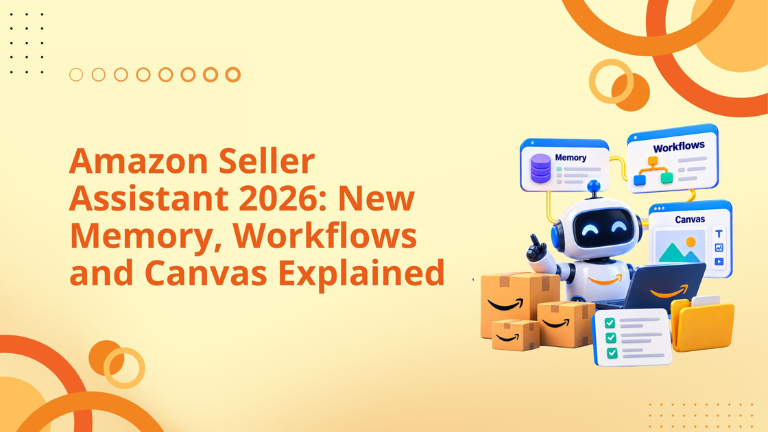
If you sell on Amazon, you make dozens of decisions a week: what to restock, what to price, where to spend on ads and which policy warning to fix first. Amazon Seller Assistant is the free AI tool inside Seller Central built to help with exactly that. At Amazon Accelerate 2026 (September 22 to 24 in Seattle), Amazon announced its biggest upgrade yet: memory, 24/7 workflows and a visual workspace called Canvas. Amazon says sellers accept its recommendations more than 90% of the time.
This guide explains what Seller Assistant does, how to use each feature, practical use cases that can help you win more buyers and protect your margin, and the limits to watch.
Amazon Seller Assistant is an AI assistant built into Seller Central. You ask questions in plain English. It reviews your sales, inventory, advertising and compliance data, explains what is happening, recommends a next step and, with your approval, does the task, such as changing a price or drafting a restock plan.
Amazon says it draws on more than 100 seller metrics and has reached over 90% of selling partners worldwide in their native language, with hundreds of thousands of active users. It runs on Amazon Bedrock with Anthropic's Claude models, and Amazon states that Seller Assistant keeps your data within Amazon's infrastructure.
Amazon announced four upgrades to Seller Assistant around Accelerate 2026. Here is what each one does, what you get from it and where it stands today.
● Persistent memory. Seller Assistant remembers your pricing habits, inventory cycles and goals, so you get advice that fits your business instead of advice written for a generic seller. Amazon announced it on September 23, 2026.
● Workflows. Plain-English automations monitor your business 24/7. That means problems are caught early and you spend less time checking things by hand each day. Amazon announced them on September 23, 2026.
● Canvas. A visual workspace built from your live data. It turns scenario planning into a matter of minutes instead of spreadsheet hours, and it has been live for US and UK sellers since March 2026.
● Selling Partner plugin. Brings Seller Assistant into Amazon Quick and Claude, so you can use your Amazon data alongside your supplier and accounting data. It is in beta for US stores.
Amazon says the memory, insights and monitoring come at no additional cost. Rollouts are phased, so confirm each feature in your own account.
What it does. Earlier versions worked one chat at a time. Now Seller Assistant keeps a lasting picture of your business: typical price changes, restocking rhythm and growth goals. That memory follows you into Amazon Quick and Claude, and every suggestion shows its reasoning, so you can accept, adjust or ask for alternatives.
How to use it. In your first chat, state your target margin, your lowest acceptable price and how much stock risk you are comfortable with.
Benefit. A Q4 restock suggestion reflects your history and your cash limits, which makes the advice safer to act on.
What it does. You describe a task in plain language, set guardrails, and the workflow keeps running, even when you are not logged in. Amazon's examples: alert me when a top product falls below 4 stars and draft a response plan, or watch my top category for openings, then adjust pricing and refresh listings.
Prebuilt templates cover account health monitoring, order summaries, pricing trends and product-expansion ideas. You can also build your own.
You control how much it does. For each workflow, choose recommend only or take action. When it acts, you approve first, and every action is logged with an audit trail.
How to use it. Pick a template, set it to recommend only, and read its output for two to three weeks. Switch to action mode only when its advice has been consistently right.
Benefit. Routine monitoring stops depending on your memory, so you spot a stockout, price drop or rating slip before it costs sales.
What it does. Instead of a fixed dashboard, you ask a question and Canvas draws the charts and options. Amazon says you can model scenarios, compare pricing strategies and diagnose ad campaign performance with live data, and the view redraws as you ask follow-ups. It launched in March 2026 for US and UK sellers at no extra cost, starting with performance analysis. Amazon plans to add marketing optimization, inventory planning and launch tools.
How to use it. Ask a what-if question, such as what happens to revenue and cash flow if demand drops 10%. At Accelerate, Amazon also showed a promotion comparison of 10%, 15% and 20% discounts against last Black Friday and category benchmarks.
Benefit. You test a decision before you commit inventory or discounts to it.
The prompts below are our suggestions. Adjust them to your catalog.
Improve conversion. Ask: "Which top ASINs convert below my other products, and what listing changes would help?" Amazon says Seller Assistant can assess listing improvements and draft a recommendation. Better listings turn more of your visitors into buyers.
Stay in stock. Set up a stockout workflow, or ask: "Draft a restock plan for my top 10 ASINs." Out-of-stock days hurt ranking and waste ad spend, so staying in stock protects both.
Win the Buy Box. Ask: "Why am I not winning the Buy Box on this ASIN?" and add a recommend-only price watch. Your offer sits on the button shoppers click to buy, so it is worth defending.
Cut returns. Ask for the return reasons on your top products. Amazon presented root-cause analysis with drafted fixes, such as images that show dimensions. Fewer wrong-expectation returns means a higher conversion rate.
Plan promotions. In Canvas, compare discount depths and demand scenarios before Q4. Testing the numbers first helps you protect margin during peak season.
Find new products. Ask: "What category opportunities fit my business?" In Amazon's demo, Seller Assistant spotted that planter buyers also shopped for vases and suggested a bundle. It is a way to find new revenue from products you already understand.
Diagnose ads. In Canvas, ask why your ad cost rose this week. Faster answers mean faster PPC fixes and less wasted budget.
Protect your account. Switch on the account health monitoring template. It helps you catch policy problems before they turn into suspensions.
Five workflows worth building first:
Amazon showed these around Accelerate. Figures marked "as presented" are Amazon's claims from the stage, so verify each in your own account.
Redesigned Seller Central. Amazon showed a personalized homepage with workspaces for supply chain, account health, promotions and ads, and finance (as presented). For you, that means seeing a sales drop next to traffic, price and stock data instead of hunting through separate reports.
Account health. Sellers who keep an Account Health Rating of 250 or more for six months, with no more than 10 days below, may qualify for Account Health Assurance. Those sellers can use Seller Challenge to request review of eligible listing-level decisions three times every 180 days. At Accelerate, Amazon also presented Listing Protection for sellers above 250: a grace period, listings kept live during appeals and warnings before risky price changes, in the US by end of 2026 and worldwide in 2027 (as presented). The takeaway: you can expect fewer surprise takedowns, but only if you keep your score high, so treat Account Health Rating as a KPI.
FBA support. Amazon said 9 in 10 missing-inbound claims are resolved automatically in about two days, and that a specialist team is reachable through Seller Assistant (as presented). That should mean less time chasing reimbursements.
Finance. Payments, payouts and reports moved into one area on September 21. Add your product costs so the profit views are accurate.
Amazon's coverage quotes three sellers. AJ Dudon of All-Fit Automotive called it his "COO." Rebecca Quirk of Wallaroo Hat Company said she gets back almost two hours every morning because her team now reads dashboards itself. Laura Lady of FryAway liked having one hub instead of several paid dashboards.
These are Amazon-selected stories. Seller Central forum post about an earlier update drew 36 thumbs-down against 5 thumbs-up, with complaints about broken links and generic advice. The lesson is to test it on real decisions before you trust it.
● It can be wrong. Amazon's help page calls the AI experimental, tells you to check its source links and says it is not legal, financial or professional advice.
● Write rules before you allow actions. Set a margin floor, a maximum price change it may make without approval and who to alert when something looks off.
● Control access. The account administrator sets Seller Assistant access under Settings, User Permissions. A team member or VA with access can make account-level and ASIN-level changes, not just view data.
● Keep your own scorecard. Amazon's tools grade Amazon's own recommendations, so track true margin and TACoS (total ad spend divided by total sales) yourself.
● Expect phased rollouts. Several features are US-first. Confirm what you can see in your marketplace.
Because Seller Assistant now delivers reports, alerts and scenario models for free, the value of a service partner moves from producing numbers to interpreting them: confirming why performance changed, challenging recommendations that do not fit your strategy, and proving the result.
AI is changing the way Amazon sellers analyze data, identify problems, and make marketplace decisions.
Tools like Amazon Seller Assistant can help sellers understand performance changes faster by bringing together insights around sales, inventory, advertising, listings, and account health. Features like memory, workflows, and Canvas create new opportunities to move from reactive problem-solving toward proactive account management. Accelerate Blogs - 2026
However, AI recommendations alone do not create growth.
The real advantage comes from knowing which recommendations matter, why they matter, and how they connect to business goals.
At Big Internet Commerce, we help Amazon brands combine AI-driven insights with experienced marketplace strategy.
Our approach focuses on:
AI can help uncover opportunities faster, but experienced Amazon strategy is required to turn those opportunities into measurable business improvements.
For brands looking to implement AI into their Amazon workflow, the goal should not be replacing expertise — it should be creating a smarter decision-making process.
It is a free AI assistant inside Seller Central that analyzes your sales, inventory, advertising and compliance data, recommends next steps and, with your approval, acts on them.
Yes. Amazon states that the memory, insights and monitoring announced at Accelerate 2026 come at no additional cost.
Persistent memory, workflows that run 24/7 with audit trails, an expanded Canvas workspace and a plugin that brings Seller Assistant into Amazon Quick and Claude.
No, not unless you allow it. For each workflow you choose recommend only or take action, and actions need your approval before they run.
Use it to fix low-converting listings, avoid stockouts, monitor price and Buy Box changes, cut returns and test promotions in Canvas before you commit.
Yes, through the Selling Partner plugin for Amazon Quick and Claude, in beta for US stores.
Amazon says Seller Assistant keeps data within Amazon. If you connect an outside AI tool, that tool's own terms apply.
Amazon Seller Assistant has moved from a tool that answers questions to one that remembers your business, watches it around the clock and shows you the numbers behind a decision. Memory keeps its advice tied to your margins and stock limits, workflows catch stockouts, rating drops and account health issues before they cost you sales, and Canvas lets you test a promotion or a demand drop before you commit to it.
The upside is real, and so are the limits. Amazon calls the AI experimental, several features are still rolling out in phases, and its recommendations do not replace your own margin and TACoS numbers. Start in recommend-only mode, give it clear rules, and check its work for a few weeks before you let it act.
Once you trust it with routine monitoring, your time goes to what a tool cannot do: choosing products, pricing with a strategy in mind and building a brand. Turn on one workflow this week, ask one real question in Canvas, and let the results decide how far you take it.
Fill out the form and our experts will get back
to you within 24 hours.
.webp)
.webp)
.webp)
We respect your privacy. Your information is safe with us.