November 18, 2026
Amazon’s One-Click Variation Split: How to Detach a Child or Ungroup a Family Safely
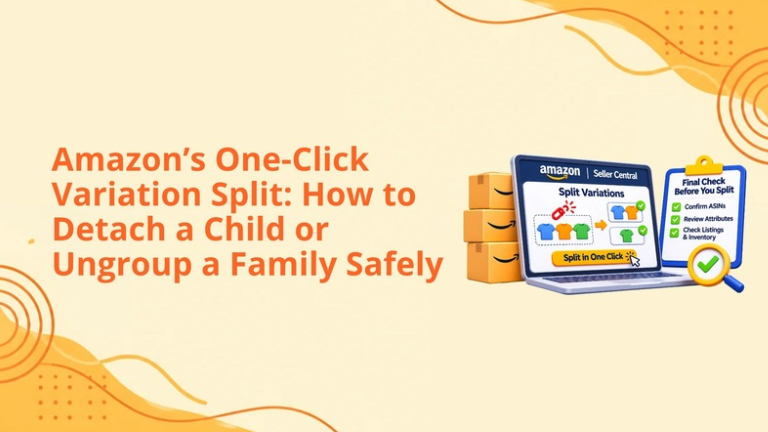
Amazon variation families facilitate product identification, enable comparison shopping, and allow customers to search for the correct size, color, flavor, or pack quantity. Unfortunately, sometimes unrelated items may end up in the same cluster, making an offer confusing to shoppers, distorting reviews, and creating catalog-compliance problems.
Traditionally, correcting those relationships has been rather complicated. Sellers would need to use category spreadsheets, upload flat files, apply variation tools, and even open Seller Support cases to remove one child or dismantle the whole family.
Amazon has now documented two controls inside Manage All Inventory that simplify variation separation:
These controls lessen the necessity of initiating each correction with a spreadsheet. Nevertheless, "one click" does not imply "zero risk." The sellers need to determine the correct action, document the current family, comprehend contribution ownership and verify the outcome in the live product detail page. This guide is intended to showcase the new controls, when to implement them, consequences of the implementation and how to minimize the chances of a catalogue issue.
An Amazon variation family groups closely related products on one detail page.
A valid family normally contains three core components:
Typical variation themes include:
In this example, we may have the same shirt that is available in five colors and four sizes to make one family. The identity and function of the product remain unchanged; only the attributes for the variations are different.
A shirt and a jacket cannot be put into one family just because they are from the same brand. The same can be said about a charging cable and a power bank since they charge other electronic devices.
According to Amazon, items in a family must be in essence identical, serve the same function, and differ in terms of valid variables.
Amazon now provides two separate options inside Manage All Inventory.
This option will unbundle one specific child from its variation group and create an independent listing for this child SKU.
The remaining children will still belong to their parent SKU. Thus, detaching one child is useful when one of the child SKUs is defective while the other child profiles are correct.
The detached child will keep its sales history, feedback, and ratings.
This alternative segregates every child SKU in the family and creates an independent listing. Amazon also claims that the parent product has been eliminated from the seller's inventory during the process of ungrouping. The children's sales history, reviews, and ratings remain intact. Since the complete structure is removed, this option should be applied only in case the family is fundamentally wrong or needs to be separated before rebuilding.
Use this process when one child needs to leave an otherwise valid family:
According to Amazon, it is necessary to wait about 15 minutes for the catalog changes to occur successfully and 24 hours for the product impacts to show.
It is crucial not to consecutively change the product details while the request is being processed because this may complicate the determination of the main relationship between the contributions made.
Use this process when every child should become standalone:
Amazon notes that this action deletes the parent ASIN from the seller’s catalog.
Prior to approving, note all parent SKU, parent ASIN, variation theme and child relationships. It will be easier
Detach a child when the family is generally correct but one listing does not belong.
Common scenarios include:
A Child may look identical to other offerings in that they share the same colors, however they can still be different models, constructions or designs making them distinct products.
Sharing color does not justify treating separate products as variations as far as their functionality is concerned.
A SKU could have been placed in the wrong category due to an error in size, appearance, amount, or design type. If it isn’t possible to keep it attached to the original family, detaching it will give an opportunity to fix the errors prior to creating the right relation.
A separate placement might be needed for a product as it fulfills a different function from the existing family.
If a product of a different category is present in the family, it might require checking the relation. However, removing the contribution won’t eliminate the relation created by others.
In case of catalog manipulation suspicions, the seller is required to collect evidence and contact Selling Partner Support, or Brand Registry, instead of changing their contribution repeatedly.
Ungrouping may be appropriate when the complete family structure is invalid.
Examples include:
If only one child is incorrect, ungrouping the complete family may create unnecessary work and temporarily disrupt healthy relationships.
Choose the smallest action that accurately solves the problem.
According to Amazon’s latest guidelines, standalone child SKUs are able to hold onto their sales records, customer reviews and ratings.
The same rules hold true when they become standalone units after an entire variation family is disbanded.
However, sellers must be clear on the difference between a child retaining own listing history and the continuation of showing previously collected reviews across a variation family.
Variations in review sharing was introduced by Amazon in 2026 and now all reviews continue to be shared when only minor aspects of the product differ, including color, pattern, size, amount or pack variations. Major differences in functionality or specifications may rule out review sharing altogether.
That is why sellers must note down rating and review statistics for each child SKU before any changes are made and check those statistics after the new product detail page is complete.
The new rules from Amazon eliminate your share in the variations relationship. However, not all catalog contributions will be eliminated.
If a different seller has a similar parent–child relationship established, the product will retain its position in the family on the detail page.
Other possible causes include:
This is why checking only Manage All Inventory is insufficient.
Sellers should wait through Amazon’s stated processing period and then review:
Amazon suggests that if the new structure appears in Seller Central while the details page is still unchanged after 24 hours then it is important to troubleshoot listing, and contact selling partner support.
Before making any parent-child change, create a recovery record.
Save:
Download an Active Listings Report or All Listings Report and store it with the change record.
To determine performance metrics for high-value parent ASINs, sellers should keep track of the sessions, conversion rates, organic ranks, units ordered, ad sales, and total sales. This helps them establish a baseline of performance in case the parent ASIN family behaves differently following the split.
The new controls simplify individual detachments and complete ungrouping, but product spreadsheets remain valuable.
Use an inventory file when:
Moreover, a spreadsheet makes it easier to keep track of the parentage, SKU number of the parent item, the theme of the variation, and the features of the child items.
When it comes to complicated edits, using the interface to break the erroneous linkage and a properly prepped spreadsheet to recreate the right family is the most effective way.
Amazon announced that the Add Products workflow would replace the Variation Wizard, which was scheduled to retire by the end of August 2026.
Under the newer workflow, sellers can:
The prefilled file can reduce manual entry errors because it includes the existing family and attribute information.
The new split controls and Add Products workflow serve different purposes:
The work is not finished when Seller Central confirms the request.
Confirm that the family structure has changed inside Manage All Inventory.
The storefront may take longer than the internal catalog view. Avoid declaring the change unsuccessful too early.
Check titles, images, price, availability, content, reviews, ratings, and variation selectors.
A detached child may still be included in campaigns built around the former family. Confirm ad eligibility, landing-page accuracy, budgets, and performance.
Confirm that each standalone ASIN displays appropriate A+ Content, Brand Story modules, and product-specific claims.
Compare sessions, conversion, ordered units, advertising efficiency, and total sales with the pre-change baseline.
If the change does not reach the detail page after the recommended processing period, provide Seller Support with:
A valid family helps customers compare related options. Breaking it unnecessarily may reduce discoverability and make shopping more difficult.
Select the smallest correction that solves the catalog issue.
Always verify the live product detail page.
Changing the parent or theme does not make unrelated products compliant.
Your action removes your contribution. Another seller or catalog contributor may continue maintaining the relationship.
Review presentation should be accurate and relevant to the specific products—not merely produce the largest visible number.
Variation changes can affect more than catalog structure. Review the full commercial impact.
A new interface button can simplify the execution, but it cannot determine whether the planned catalog structure is correct.
Big Internet Ecommerce helps sellers evaluate variation relationships from both a compliance and performance perspective.
We review parent-child relationships, product functions, variation themes, attributes, titles, and catalog consistency to identify invalid or risky families.
Our team maps parent SKUs, parent ASINs, child SKUs, child ASINs, attributes, review counts, images, inventory, and performance before changes begin.
We determine whether the safest approach is to detach one child, ungroup the complete family, use a product spreadsheet, rebuild the family, or escalate the issue.
BIE can prepare product files for bulk corrections, new parent creation, child reassignment, and attribute updates.
We compare Seller Central with the storefront after processing and identify relationships that have not updated correctly.
Our team checks PPC campaigns, product content, traffic, conversion, and sales after the change so catalog corrections do not create unnoticed commercial problems.
When another contribution or catalog issue prevents the correction, BIE can organize the evidence and prepare a clear escalation for Amazon.
The goal is not simply to separate listings. It is to create an accurate, compliant, customer-friendly catalog that supports sustainable growth.
Yes. Amazon now documents Detach from family and Ungroup Variation family controls inside Manage All Inventory.
The selected child becomes a standalone listing while the other children remain under the existing parent.
Every child becomes standalone, and Amazon deletes the parent ASIN from the seller’s catalog.
Amazon advises allowing about 15 minutes for the catalog and up to 24 hours for the product detail page.
Another seller or catalog contributor may be maintaining the relationship, or the detail page may still be processing the change.
Disconnecting from family and ungrouping change family systems helps to simplify the process of correcting variations.
However, it does not mean that there will be no need to confirm that the items belong to the family, record the system that exists, analyze other contributions to the catalog, and check the results of the catalog modification.
Before changing a family with many items, we recommend to make recovery log. After the family has been changed, it is advisable to monitor the catalog, advertising, reviews, and sales.
Thus, we will be able to find out the invalid relationships, secure the valuable elements in the catalog, make the necessary corrections, and recreate the correct family of variations that will facilitate the understanding of customers.
Schedule a strategy call with our team.
Follow Big Internet Ecommerce (BIE) on Instagram & LinkedIn to stay updated with the latest trends in Amazon selling.
Fill out the form and our experts will get back
to you within 24 hours.


We respect your privacy. Your information is safe with us.