August 28, 2026
Amazon Sponsored Products Video Ads: How Sellers Can Turn Existing Assets Into PPC Creative Faster
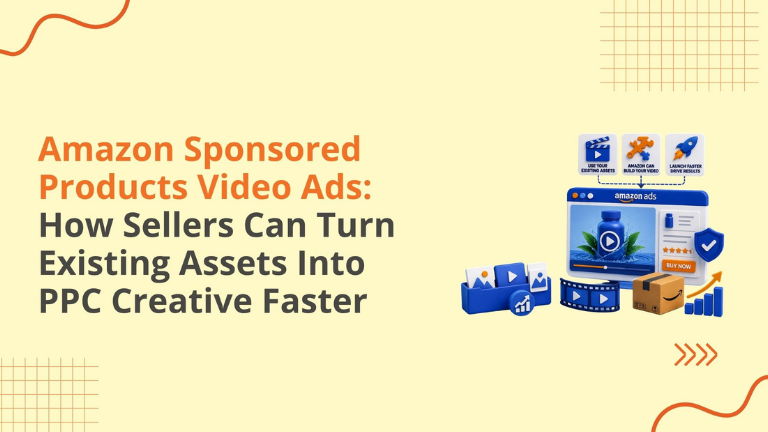
Amazon sellers have always known that video can help explain a product faster than static images.
The problem has been execution.
Creating product videos takes planning, footage, editing, compliance checks, approval time, and budget. For many sellers, that meant video stayed on the “we should test this later” list while campaigns continued running with only static product images.
Now Amazon is making Sponsored Products video easier to access.
Amazon’s auto-assembled video option can help eligible sellers create video ads using existing assets, giving brands a faster way to test video inside Sponsored Products campaigns without building every asset from scratch.
This is a meaningful update for Amazon sellers in the US, Canada, and other supported marketplaces because PPC performance is no longer only about bids and keywords.
Creative matters.
If the shopper understands the product faster, they may be more likely to click, compare, and buy.
Amazon Sponsored Products video ads now include an auto-assembled video option for eligible campaigns. This feature can use existing product assets to help create video ads for the advertised ASIN. Amazon states that auto-assembled video uses the existing campaign budget and the same CPC bid as standard Sponsored Products ads, with no additional assembly charge. Sellers can review and manage the video before it serves, depending on marketplace and campaign availability.
Amazon can help sellers create video ads faster.
But sellers still need to review the creative, confirm accuracy, follow guidelines, and monitor performance.
Many Amazon products need motion to be understood properly.
A static image can show the item.
A video can show the product in action.
That difference matters for products where shoppers ask questions like:
How does it work?
How big is it in real life?
How does it fit?
How easy is it to use?
What does it look like in motion?
What problem does it solve?
How is it different from the competitor?
Sponsored Products video gives sellers a way to answer those questions closer to the buying moment.
Amazon explains that Sponsored Products video is built to highlight multiple product features for a single ASIN and integrates with existing Sponsored Products campaigns using the same campaign targeting controls and budget.
That means sellers do not need to treat video as a separate awareness-only format.
It can support performance campaigns where shoppers are already searching and comparing.
The biggest advantage is speed.
A seller who already has product videos, detailed page assets, or usable creative may be able to test Sponsored Products video faster than before.
This can help brands that have delayed video because of:
Auto-assembled video can lower the first barrier.
But it should not lower the quality standard.
A video ad still represents the product. If the wrong clip is used, the wrong variation appears, or the message is unclear, the ad can create confusion instead of confidence.
This is why sellers should treat auto-assembled video as a starting point, not a final strategy.
Sponsored Products ads are cost-per-click ads that promote individual product listings. Amazon says sellers can create Sponsored Products campaigns with image or video, control bids and budgets, and send shoppers to the advertised product detail page when they click.
That makes Sponsored Products video different from general brand awareness video.
The shopper is already close to purchasing.
They are searching, comparing, and deciding.
So the video should not behave like a long brand commercial.
It should answer a buying question quickly.
Good Sponsored Products video creative should show:
The goal is not to entertain.
The goal is to help the shopper understand faster.
Not every ASIN needs video immediately.
Sellers should prioritize products where motion adds real value.
Start with products that are:
Good categories for video testing may include:
If the customer needs to see the product working, video can help.
Auto-assembled video should always be reviewed before activation.
Do not assume the output is automatically campaign-ready.
Check the following:
Amazon’s Sponsored Products video guide notes that all new video submissions are moderated and must meet Amazon Advertising guidelines and Sponsored Products video guidelines. The same guide lists key specifications including MP4 or MOV format, video length of at least seven seconds, recommended 1920 x 1080 resolution for 16:9, no audio, and a file size limit of 500 MB.
That means sellers still need quality control.
Amazon shoppers move quickly.
If the video shows one thing and the product detail page says another, trust can drop.
Before launching Sponsored Products video, sellers should compare the creative against:
This is especially important for variation-heavy products.
If the video shows the blue model but the ad is running for the black model, shoppers may get confused.
If the video shows a feature that only exists in one version, but the campaign advertises another version, conversion can suffer.
Creative accuracy protects both performance and customer trust.
Video can improve attention, but it can also spend budget quickly if not managed properly.
Sellers should avoid turning on video across every campaign without a plan.
A better approach is to test in a controlled way.
Start with a small group of video-ready ASINs.
Choose products with enough traffic to measure.
Keep the campaign structure clean.
Monitor CTR, CVR, CPC, ACoS, ROAS, sales, and placement behavior.
Compare performance against static creative.
Review whether the video is attracting the right clicks or just more clicks.
A video with high CTR but weak conversion may be creating curiosity without purchase intent.
A video with lower traffic but stronger conversion may be doing a better job qualifying shoppers.
The goal is profitable learning.
A strong Amazon PPC video should be simple, clear, and product-first.
It should not feel like a cinematic brand film.
It should feel like useful shopping information.
A strong video usually follows this structure:
Start with the product in use.
Show the main feature quickly.
Demonstrate the benefit.
Use close-up shots where needed.
Keep the background clean.
Make the product easy to understand without sound.
End with a clear product or packaging view.
Avoid slow intros, tiny text, heavy effects, generic lifestyle footage, and unclear product shots.
Amazon’s guide emphasizes product feature videos that show product features, benefits, or usage, with the product as the main focus.
For sellers, that means the best creative is usually practical, not overproduced.
For Amazon agencies, this update creates a new PPC and creative workflow.
It is not enough to say, “Amazon can build videos now.”
Agencies should help clients decide:
This is where PPC strategy and creative strategy meet.
A good agency should not only activate features.
It should protect budget, improve testing, and connect creative decisions to business outcomes.
We help Amazon sellers and D2C brands grow through PPC management, Amazon SEO, listing optimization, A+ Content, catalog health, Store Management, compliance support, and marketplace growth strategy.
This Sponsored Products video update matters because creative now has a bigger role in performance.
A well-built video can help shoppers understand the product faster.
A weak video can waste clicks.
A mismatched video can hurt trust.
A strong testing plan can reveal which product features actually drive action.
For Amazon sellers, the question is not only, “Can we run video?”
The better question is:
“Which product needs video, what should the video prove, and how will we measure whether it worked?”
If you are running Amazon PPC, take these steps:
This approach helps sellers use the update carefully instead of blindly adding video to every campaign.
Amazon Sponsored Products video ads are video-based ad creatives within Sponsored Products campaigns that help shoppers understand product features and click through to the product detail page.
Auto-assembled video is an Amazon Ads option that can help eligible sellers create Sponsored Products video ads using existing product assets, reducing the need to build every video manually from scratch.
Amazon states that auto-assembled video uses the existing Sponsored Products campaign budget and the same CPC bid as standard ads, with no additional charge for assembly.
Yes, sellers can review and manage auto-assembled videos before they serve, depending on availability and campaign setup.
Products that are visual, demonstrable, harder to explain through static images, higher consideration, or already receiving PPC traffic are good candidates for video testing.
Sellers should check ASIN accuracy, variation accuracy, product visibility, mobile readability, guideline compliance, landing page match, budget, bids, and performance goals.
We can help sellers review Amazon PPC campaigns, video creative readiness, listing assets, A+ Content, catalog health, and marketplace growth opportunities.
Amazon’s auto-assembled video option can make Sponsored Products video easier to test.
That is good news for sellers who have existing creative assets but limited production resources.
But easier does not always mean better.
Sellers still need to review the video, confirm accuracy, protect campaign budget, follow guidelines, and measure performance properly.
The brands that benefit most will be the ones that treat video as part of their PPC strategy, not just a new checkbox in Campaign Manager.
We can help review your Amazon PPC structure, listing assets, video readiness, product positioning, A+ Content, and growth opportunities.
Schedule a strategy call with our team.
Follow Big Internet Ecommerce (BIE) on Instagram & LinkedIn to stay updated with the latest trends in Amazon selling.
Fill out the form and our experts will get back
to you within 24 hours.
.webp)
.webp)
.webp)
We respect your privacy. Your information is safe with us.