October 9, 2026
Seller Central Service Provider Access Update: What Amazon Sellers Should Do Before Permissions Expire
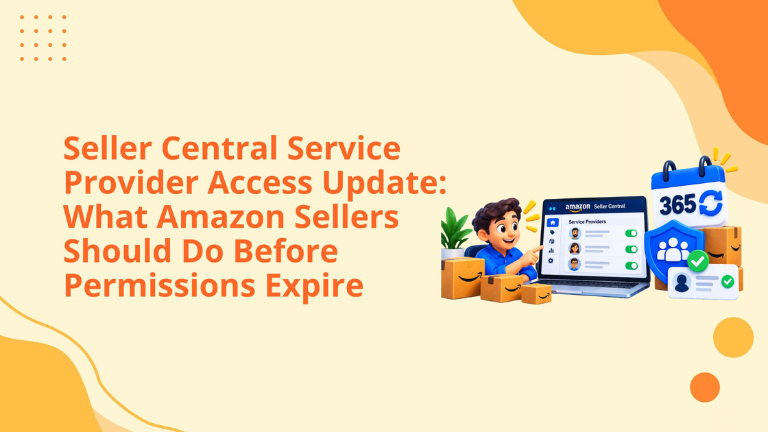
Amazon has updated how service providers access Seller Central accounts. As of September 1, 2026, agencies, freelancers, consultants, virtual assistants, and other external providers must complete business verification before being authorized or reauthorized for the services they provide.
For Amazon sellers, this is more than a security update. It directly affects account operations. If a service provider’s access expires and the seller does not reauthorize it on time, that provider may lose access and may not be able to continue supporting PPC, catalog management, listing optimization, reporting, account health, or other operational work.
The update gives sellers more control, but it also creates a new responsibility: account owners and administrators must actively manage external provider access.
Seller Central service provider access is the authorization a seller gives to an external business or person to work inside their Seller Central account.
A service provider may be an Amazon agency, PPC consultant, listing optimization specialist, external contractor, virtual assistant, account support partner, fulfillment consultant, or another third-party business registered through Amazon’s Solution Provider Portal or Service Provider Network.
This is different from employee access. Employees and internal team members are added through Manage Employees or user permissions. Service providers are external to the seller’s organization and are authorized through a separate service provider access flow.
This distinction matters because Amazon now treats external provider access differently from internal employee access.
Amazon has upgraded the service provider access system with three major changes.
First, service providers must complete business verification before accessing a seller’s account. This helps Amazon confirm that the provider is a legitimate business or service partner before account access is granted.
Second, authorizations now expire after 365 days. This means service provider access is no longer open-ended. Sellers will be notified before expiration and can decide whether to continue working with the provider.
Third, sellers can choose specific permissions. Instead of granting broad access without enough review, sellers can decide which roles and permissions the provider should receive. Sellers may also restrict access by country or region.
Together, these changes give sellers more control over who can access the account, what they can do, and how long they can keep access.
Seller Central access is directly tied to account performance.
If an agency manages PPC, it needs access to advertising, reports, and campaign tools. If a catalog team manages listings, it needs access to product, image, content, and pricing areas. If an operations partner helps with FBA, shipments, or inventory, it may need supply chain and order-related permissions.
If access expires unexpectedly, work can stop. Campaign changes may be delayed. Reports may not be pulled. Listing issues may remain unresolved. Promotions may not be updated. Inventory tasks may be missed.
At the same time, too much access creates risk. Sellers should not keep old agencies, inactive contractors, or completed project vendors inside the account indefinitely.
Amazon’s update forces sellers to review access more intentionally.
Amazon now makes a clearer distinction between service provider access and employee access.
Service provider access is for anyone external to the seller’s organization. This includes agencies, consultants, contractors, and third-party service businesses. Their access is authorized through a link or the Service Provider Network. It is scoped to approved roles and expires after 365 days.
Employee access is for internal team members. These users are added directly through Manage Employees or user permissions. Their access does not expire automatically and stays active until the seller removes it.
This is an important operational distinction. Sellers should not use employee access for external agencies simply because it feels faster. External providers should be authorized through the correct service provider flow so their access can be managed properly.
When reauthorization is required, Amazon may contact sellers in two main ways.
The first is email. Sellers will receive an email with instructions and a deadline for reauthorization.
The second is the Seller Central Action Center. A notification will appear on the Seller Central homepage and remain visible until the seller completes the required action.
If a seller has not received an email and does not see an Action Center notice, Amazon states that no action is required at that time.
Still, sellers should not wait passively. It is smart to review access regularly, especially if multiple agencies, freelancers, or contractors have worked on the account over time.
If a seller does not reauthorize by the expiration date, the service provider will lose access to the account.
This does not mean the provider can never work on the account again. Access can be restored. However, the seller must take action to reauthorize the provider through the correct process.
This can create operational delays if nobody is watching the deadline. For example, if a PPC provider loses access during a promotion period, campaign management may be interrupted. If a catalog provider loses access during a listing update, content work may pause. If an agency loses reporting access, weekly reporting may be delayed.
The practical lesson is simple: sellers should treat access expiration dates like operational deadlines.
Sellers need to authorize a service provider when they are granting access for the first time, restoring access after expiration, or reauthorizing a provider whose access is still active but approaching expiration.
Before authorization, several conditions should be checked. The seller must have an active Seller Central account. The person completing the authorization must be the account owner or an account administrator. The service provider must be registered in Amazon’s Solution Provider Portal and must have completed role selection with approved roles.
The authorization process can begin in two ways. The service provider may share a unique authorization link, or the seller may go to the provider’s listing page in the Service Provider Network and select Authorize Now.
The seller then reviews the roles, adjusts permissions if needed, applies any country or region restrictions, and confirms authorization for 365 days.
Sellers should remove a service provider when the work is complete, the relationship has ended, the seller is switching providers, or there is a security concern.
Removal takes effect immediately. Once removed, the service provider can no longer view account data or take actions on the seller’s behalf.
This is useful for security, but sellers should review dependencies before removing access. If the provider manages automations, integrations, campaigns, reports, or ongoing services, those workflows may stop functioning.
Removal also does not cancel any external contract, invoice, or service agreement outside Seller Central. It only removes Seller Central account access.
If a seller later wants to restore access, they must go through the full authorization process again. Removal cannot simply be undone.
Sellers should start with an access audit.
Open Seller Central and review current service providers. Check who has access, why they have access, and whether their work is still active. Remove providers that are no longer needed.
Next, review permissions. Each provider should have access based on the actual scope of work. A PPC provider may not need catalog editing permissions. A listing content provider may not need finance access. A fulfillment support provider may not need advertising permissions.
Then check internal team access separately. Employees should be managed through the correct employee access flow. External agencies and consultants should be managed as service providers.
Finally, create a renewal process. Since authorizations expire after 365 days, sellers should track reauthorization dates before Amazon reminders become urgent.
We help Amazon sellers manage growth through PPC, SEO, listing optimization, A+ Content, catalog health, account support, and operational strategy.
From an agency perspective, this update is important because clean access management protects both the seller and the service provider.
For sellers, it reduces the risk of old vendors keeping unnecessary access. For agencies, it creates a clearer authorization path and helps avoid confusion around permissions. For account managers, it makes access review a recurring part of Amazon operations.
This update is also a good reminder that Amazon growth depends on operational discipline. A seller can have strong PPC, good content, and healthy inventory, but if the right team loses account access at the wrong time, execution can slow down.
The best approach is to keep access clean, intentional, and reviewed.
1. What is Seller Central service provider access?
It is access granted to an external agency, freelancer, consultant, contractor, or third-party service provider to help manage a Seller Central account.
2. How long does service provider access last?
Amazon states that service provider authorizations now expire after 365 days.
3. What happens if I do not reauthorize on time?
The service provider will lose access until you restore or reauthorize their permissions.
4. Is service provider access the same as employee access?
No. Service providers are external third parties. Employees are internal team members managed through employee/user permission settings.
5. Can I remove a service provider anytime?
Yes. Sellers can remove service provider access at any time, and the removal takes effect immediately.
Amazon’s service provider access update gives sellers more control over external account access. Business verification, 365-day authorization, permission selection, and Action Center reminders can help sellers manage account security more carefully.
But sellers need to take action. Review current providers, remove old access, reauthorize trusted partners before expiration, and make sure each provider has only the permissions needed for their work.
For sellers working with agencies, freelancers, consultants, or virtual assistants, this should become part of the account management checklist.
We can help Amazon sellers review account operations, catalog health, PPC structure, listing issues, and workflow gaps so the business can keep moving without unnecessary access interruptions.
Schedule a strategy call with our team.
Follow Big Internet Ecommerce (BIE) on Instagram & LinkedIn to stay updated with the latest trends in Amazon selling.
Fill out the form and our experts will get back
to you within 24 hours.
.webp)
.webp)
.webp)
We respect your privacy. Your information is safe with us.