Big Internet Seller Services Inc provides e-commerce Services

Get your first Product Photoshoot for FREE! Learn More

Amazon

Big_Internet_Ecommerce_Amazon_Listing_Content_Optimization_Services

For Better Rankings and Conversions in 2022, Here are 6 Amazon Keyword Suggestions

Amazon is a fantastic venue for promoting your products to leads who are interested. You must select the appropriate keywords to show up in pertinent search results in order to reach interested leads. It’s essential that you use keywords that draw in prospective customers. Some Tips for Better Amazon Keyword Ranking Here are some of the best Amazon keywords ranking tips: Pay close attention to your Amazon audience Know your target audience before you begin brainstorming keywords for your Amazon products. A common error made by organizations is to attempt to develop an “all-in-one” search engine optimization (SEO) strategy that they can use for both Google and Amazon. It’s significant to remember that different search engines have various specifications. It’s a good place to start when determining your tasks for optimizing your Amazon search terms. Utilize keyword tools unique to Amazon Use keyword tools designed specifically for Amazon while looking for keywords for your Amazon Product listing. Use keyword tools designed specifically for Amazon to find the ideal keywords for your campaign. You may create lists of keywords that will do well on Amazon with the aid of these tools. Use only pertinent keywords For your Amazon search term optimization, using pertinent Amazon keywords is crucial. Conversions are what you want to achieve when you sell things on Amazon. You must pick the appropriate keywords if you want to get worthwhile visitors. Use only keywords that are pertinent to your product listing when choosing your keywords. Avoid using subjective keywords Avoiding subjective keywords will let you concentrate just on keywords that describe your product. You can use your reviews to convince customers that your product is “wonderful” and “a best-seller.” Add keywords to your listings It’s time to incorporate your chosen keywords into your listing once you’ve made your choice. To appear in the search results on Amazon, your keywords must only be used once. Put the header with your most crucial term in it. Your descriptions should contain your second and third most crucial keywords. Implement backend keywords Backend keywords are those that are hidden from your audience. They show at the rear of your listing, as the name implies. Adding more keywords to your listing here is a smart idea. The appropriate keywords might improve the performance of your Amazon product listing. Therefore keyword ranking on Amazon is an essential aspect to drive sales. To know more about how to implement these tips and Amazon SEO ranking factors, visit the FabOnGo website right away.

For Better Rankings and Conversions in 2022, Here are 6 Amazon Keyword Suggestions Read More »

Big_Internet_Ecommerce_Search_Engine_Optimization_Services

Triple-Optimized Amazon Listings to Dominate in Keyword & Conversion Search

A highly effective Amazon listing requires the execution of three crucial components. Keyword Optimization Key Info Communication Persuasive Desire Optimization When all three of them are present, 1+1+1 = 5, which has an exponential effect. Understanding these ideas can have a significant impact on the success of your Amazon listing optimization because many brands on Amazon only pay attention to two of these three factors while ignoring the third. Amazon Listing Optimization Amazon listing optimization opportunities must be fully utilized to drive sales and improve conversion rates. Keyword Optimization The title of an Amazon listing is the most crucial area for keywords because every term there receives “ranking juice” for every sale, regardless of which keyword generated that sale. This ability is unique among Amazon’s text fields. The title of most categories is limited to 200 characters, therefore to fill it out as much as possible, take some time going over it to make it incredibly readable. Your click-through rate will suffer if you don’t. This is essential for Amazon listing optimization. Finding the ideal keywords to target is only half the battle; you also need to place them correctly for the best indexing and keyword ranking chances. Key Info Communication locating the important information that customers are scanning for, prioritizing it, and positioning it to increase click-through and conversion rates. The majority of customers are searching for particular product characteristics (size, BPA Free, for iPhone X, Pack of 20), which requires their brains to scan and process a tremendous quantity of information on any given search results page. A comparison shopping engine is Amazon. Unskillfully gaining and holding attention will cause it to quickly shift to rival product pages. The right essential product information must be communicated quickly and easily. Persuasive Desire Optimization Persuasion and the cultivation of desire are the main focuses of the third and last component of a Triple Optimized Amazon Listing. Utilizing sales psychology, and persuasive desire optimization positions your product as the link connecting your customer’s unfavorable present condition and a better future. The Amazon listing optimization guide mentioned above is extremely essential for driving sales, and it also helps to understand the requirements of the customers. Amazon Service Management

Triple-Optimized Amazon Listings to Dominate in Keyword & Conversion Search Read More »

Big_Internet_Ecommerce_Amazon_Listing_Content_Optimization_Services

Optimization of Amazon Product Listings’ Effect on Conversion Rates

In the fiercely competitive e-commerce landscape, Amazon stands out as a titan. With millions of sellers vying for customer attention, the key to success lies not just in having great products with competitive pricing but also in optimizing your Amazon listings effectively. In this blog, we at Big Internet Ecommerce will delve into how to effectively execute Amazon listing optimization and its effect on boosting your conversion rates on the platform. Before we look at how to check your conversion rate on Amazon, you should know that tracking conversion rates can help you in many ways, some being:  Keeping track of the conversion rate before and after the campaign helps you assess the success of the campaign.   When A/B testing with listing optimizations, you can conclude which content reels more conversions.   To figure out your performance of ad campaigns. Checking conversion rate You can internally calculate the conversation rate using the following formula:   Total Number of Orders / Total Number of Product Listing Sessions = Conversion Rate  Here is the step-by-step guide to check the conversion rate for your products individually.  In Seller Central, navigate to the “Reports” tab and click on “Business Reports.”  On the left-hand side, under ASINS, you will see the reports menu with a few options. Click on “Detail Page Sales and Traffic By Child Item. This report showcases the sales data for each item you sell on Amazon, including total sessions, page views, units ordered, product sales, and your conversion rate. Your conversion rate percentage is labeled as ‘Unit Session Percentage’. Understanding Amazon Listing Optimization Amazon listing optimization fine-tuns various product listing elements to ensure maximum visibility, relevance, and appeal to potential customers. Optimizing product titles, descriptions, images, keywords, pricing, and other factors improves search rankings and drives more conversions.  Out of all of these, Keywords are pivotal in acing your Amazon game. This is all the more reason to take your time to thoroughly do your keyword research. There are multiple tools in the market for this, but we at Big Internet E-commerce rely on the Data Dive tool and Helium 10.  How we do keyword research for our client’s listings During our keyword research, we must create a Master keyword list (MKL) using both the Data Dive Tool and Helium 10.  Let’s look at how we do it: Creating MKL using Helium 10 Requirements: Helium 10 account and extension from Google Chrome extensions.    You will have your search results page after searching for your seed keyword on Amazon.   Click on your Helium 10 extension to see the following options.   Choosing ASIN Grabber will give you an analysis of the SERP from which you can select the competitor products sorted by BSR(Best Seller Rank).  After sorting by BSR, monitor the reviews for each ASIN. More reviews generally mean that an ASIN ranks for numerous keywords.   Select and copy 10 ASINs with high reviews, low BSR, and highly relevant to your product. Hover on the Product title or jump to the listing page to make sure the ASIN is similar to the product you are offering as well.  Keyword Research Using Cerebro Cerebro is a tool in Helium 10 that helps you select competing products and extract the keywords from them.  You can select up to 10 ASINs to run Cerebro; if you select more than that, the ‘Run Cerebro’ button will be disabled, and you cannot continue. However, if you have more than ten competitors that you would like to include in your keyword research, then just run Cerebro twice and combine the keywords in a spreadsheet.   Use the above filters to find the best keywords for your listings. Sort the list by Search Volume or Keyword sales. Unfortunately, the most challenging job with Helium 10 tools like Cerebro and Magnet is sorting; you have to do it manually. You may export the data to a spreadsheet and use filters to filter out phrases, words, or any other way you wish.  Keyword Research Using Magnet Magnet is another tool from Helium 10. Unlike Cerebro, which uses competitors to get our keywords, Magnet works a bit differently. Remember the broad keyword we used to run the ASIN grabber and later ran the Cerebro with it?   Well, here, we will use the same broad keyword to get similar keywords in the niche. Just like we did for Cerebro, you can use similar filters like this or play with it yourself to determine what works for you.     And just like in Cerebro, sort the results and create your MKL.  Creating MKL using the Data Dive Tool Requirements: Data dive account and extension from Google Chrome Extensions.   Even though Data Dive isn’t as well-known a tool as Helium 10, it is one of our go-to keyword research tools. At Big Internet E-commerce, we prefer to use Data Dive for its versatile use cases. Like;    Inbuild filters for branded keyword exclusion.  Keyword Strength is between 0 and 10, 10 being the highest difficulty to rank for.   Outlier Keywords   The MKL generated through the Data Dive tool somewhat follows the same procedure as Helium 10’s Cerebro. Both require competing ASINs to create MKL. This method is an excellent approach as it’s much easier than finding keywords through the broad match in the Helium 10 magnet or any other way.  The extension is shown in action in the picture above. In the Actions menu, the tool has an input box called the ASIN tray where you can add the ASINs of your competitors. If you click on the ASIN tray, you will see all the ASINs you have added up until then. You can add up to 10 ASINs to do a niche dive. Anything more than that will result in the Dive button being disabled. After selecting up to 10 ASINs, you have to create a niche or select one already made and add the ASINs to the list.  After doing a Niche dive, you will be redirected to the MKL interface, where you can

Optimization of Amazon Product Listings’ Effect on Conversion Rates Read More »

Big_Internet_Ecommerce_Amazon_Listing_Content_Optimization_Services

How Can I Get The Best ROI By Improving My Amazon Product Listing?

You can include information about your product, such as its category, brand, features and specs, pictures, and cost. Your customer can access all of these facts to assist them in buying your product. Customers’ knowledge of your goods is just as vital as selling them. Your product listing won’t help you make sales if it is not optimized. Every seller wants to use Amazon Product listing services to increase their product’s visibility and sales on the site. 5 Methods for Enhancing your Amazon Product Listing Make sure your listings are eye-catching, drive lots of traffic, and check to see that the relevant keywords are positioned where they should be. Write product descriptions that are compelling so that they draw customers and convert them into leads and sales. However, you should include relevant material and graphics with more customer-attractive elements when optimizing an Amazon product page. To help your buyer easily comprehend how your product works, highlight its features in bullet points and optimize your product listings. You must optimize the majority of your product listings to outperform the competition and be the best brand selling on Amazon. Engage your customers as they browse your product page with compelling information and a clear presentation, and optimize the page so that you can communicate with them directly. By turning prospective leads into closed sales, you not only increase client engagement but also your return on investment. Your customers anticipate what kind of deal or discount you will make on a product and what your competition will do. To offer your clients a competitive price, research how other companies are selling on Amazon before making any announcements about discounts for your products. You may easily run an email campaign that could assist you in generating leads by regularly checking in with clients to see how they are responding to your product. These initiatives generate real-time product reviews, cross-promote your other items with your existing ones, generate sales from return buyers, and more. To attract potential customers online, firms must now use Amazon product listing optimization services. You will experience a significant increase in sales and a maximized return on investment by following the above-mentioned Amazon product listing guidelines.

How Can I Get The Best ROI By Improving My Amazon Product Listing? Read More »

Big_Internet_Ecommerce_Amazon_Store_Management

How to Build a Sell-Friendly Amazon Storefront

Storefronts, which are accessible to brand-registered merchants, let companies promote all of their products in one place, feature outstanding writing, photography, and graphics, and customize with distinctive branding and logos. You can draw customers in with an optimized Storefront and utilize it as a landing page for adverts. Steps for Setting Up an Amazon Store Amazon listing optimization is very important to attract potential customers. Given below are the steps on how to do Amazon listing optimization: Collect Your Branding Assets: Just like other product listings or brand assets on Amazon, your Storefront is an extension of your brand. It needs to have the same visual identity as any other branding assets that your business maintains, such as your own website and physical stores. With all of your brand materials in one location, your team can more effectively communicate your message and value to customers and establish a consistent, simplified identity across all platforms. Develop a storefront strategy: A storefront can be used to inform customers about the many items you offer, to provide more information and unique use cases for individual products, or simply to boost conversions by establishing a strong brand presence on Amazon. Create Creative Materials and Photos: Organizing all of your creative assets, product listings, unique graphics, and images, even embedded movies, and banners, is necessary when creating your storefront to support your brand presence. While authentically portraying the brand’s visual identity and message, the Storefront’s visual design must effectively communicate the pertinent content—and the intended action—to consumers. Invite comments and edits: Given how many brands rely on Amazon as a significant retail channel, there should be sufficient feedback on this initiative. Your storefront should be examined by your sales, marketing, operations, and even financial teams to make sure it is sending the proper message and is ready for success. Publish and Refine: Make your storefront public and begin attracting clients with paid advertisements and other methods. Track Store Insights, adjust, and modify your Storefront as required in light of consumer interactions, new trends, and the development of your business over time.

How to Build a Sell-Friendly Amazon Storefront Read More »

Big_Internet_Ecommerce_Amazon_Store_Management

What Are the Advantages of Amazon Product Variations and How to Create Them?

Customer appeal should be your main priority when selling things on Amazon. But because every customer has different preferences, it’s important to design your products to appeal to a variety of customers. Amazon product variations come into play in this situation. You can place a group of related products on the same product page with a variation if they come in different colors, styles, or sizes. These variations demonstrate to customers how they might alter the product, contrast similar goods, or even upsell them to a superior model. Advantages of Amazon Product Variations Variating your products is one approach to make them more noticeable if you have some that have fallen far down in the search results. The length of time you can maintain a customer’s attention increases when you list a variety of products. Utilizing variants increases the likelihood that a consumer will convert to your listing by allowing them to stay on the page longer. Your listings’ success with the Amazon search algorithm, the growth of customer reviews, and your overall marketplace presence are all improved when you increase exposure with variations and raise conversions. Ways to Create Variations to Drive External Traffic to Amazon Listing Through the Variation Wizard, registered Amazon merchants can create variations. The processes for building a new parent-child variant family are listed below. Keep in mind that you should confirm that the goods you add are related to the same parent SKU. Visit the Variation Wizard and then download the appropriate template for your category. The tab labeled “Valid Values” has a list of themes. Unfortunately, you are unable to create a variation for that category if you don’t see any variation themes. You must make your parent item and each child item once you’ve decided on a theme. Be careful to include precise information about the variant theme in the product specifications in case you wish to revisit it in the future. Brands can edit, add, or remove variations at any time depending on new product launches and client demand. Size, color, or fragrance are the three main types of variation themes. You can maximize your sales and attract people to your listings by creating variations and by using appropriate Amazon product photography to project your product in the best manner. Visit the Big Internet Ecommerce website to gather more information and get the best professional assistance.

What Are the Advantages of Amazon Product Variations and How to Create Them? Read More »

Big_Internet_Ecommerce_Amazon_Images_Optimization

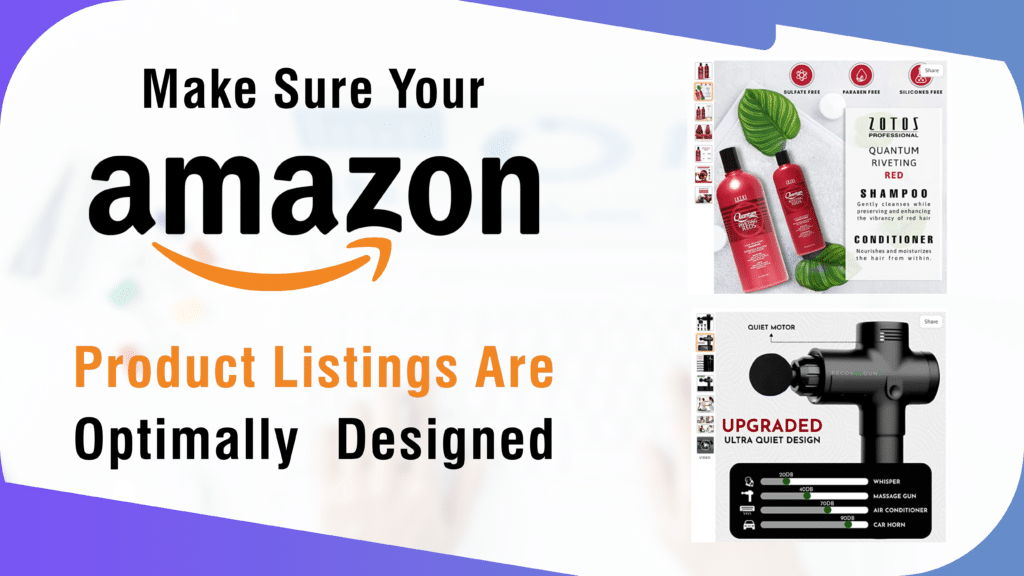
Make Sure Your Amazon Product Listings Are Optimally Designed

It is often asked, what is Amazon listing optimization? It is the process of deliberately taking efforts to raise the position of your product in the organic search results and improving its ranking for particular search queries known as “Amazon Listing Optimization.” You might take all the necessary steps to improve your keyword research, product description optimization, use of appropriate photos, and seller reputation on Amazon. You can convert that visitor into a paying customer if your product listing content provides a solution to the query and concentrates on pertinent keywords. Tips for Enhancing Product Listings to Draw in Targeted Customers Manufacturers and sellers of Amazon products frequently downplay the significance of a strong copy. However, one of the best strategies to enhance your Amazon listings is through content optimization. A customer’s first impression is influenced by everything on a listing page, including the product title, description, image, tags, bullets, specifications, and review answers. As a result, you should use them to promote your brand and goods. The goal of SEO, or search engine optimization, is to increase organic traffic to your Amazon store and product pages. The three pillars of Amazon SEO are user queries, keywords, and convenience. Make your Amazon listings more visible by including pertinent keywords. Users examine the photographs and videos before deciding whether or not to purchase a product. Correct Amazon photography is the greatest approach to offer such things and perfectly convey their attractiveness through visual depiction. To increase external traffic to Amazon listing, provide quality photos. Competitor analysis is an essential technique that will enable you to outsell your rivals on Amazon. Early on in your Amazon selling cycle, performing competitor analysis is usually a good practice that can increase your sales. Setting the proper price should come first, even though thorough competitor analysis can assist you in developing a long-term strategy for the research and development of your items. Your Amazon listings can now be promoted in a variety of new methods, so make sure you use them and remain on top of the trends. You will gradually see an increase in your product views as you make these modifications, and you will soon see your sales climbing quickly. To get the best expert assistance, visit Big Internet Ecommerce right away!

Make Sure Your Amazon Product Listings Are Optimally Designed Read More »

Big_Internet_Ecommerce_Amazon_Images_Optimization

Best Methods for Image Enhancement to Increase the ROI from your Amazon Store

Your product image must receive special consideration in terms of how well it depicts your actual product. The SEO of your Amazon store and the perception of your brand will suffer if the image does not accurately represent your goods. You must be familiar with the essential Amazon image processing procedures if you want your product photographs to come up to your customer’s expectations. It will give you a competitive advantage and focus your thinking on a fruitful procedure. Some Important Features of Image Editing for Amazon The following are some prominent and frequently used Amazon picture editing techniques to take into account for products being sold on the Amazon marketplace: Image retouching It entails improving the image of your goods and fixing any minor defects. When it comes to photo editing for Amazon It is employed to make your product appear more modern and appealing. Background adjustment Your product image must have a white backdrop to be uploaded to Amazon. So make sure to have their existing backgrounds changed to white after you’ve taken and organized all of your product photos. Additionally, by removing the unwanted components from the image, you may make it look more natural while still making it attractive and faultless. Color rectification You must choose color correction if the colors in your product image are different from those in the actual product. It is the method that is most suitable for adjusting the color in all the right ways. To make the product photographs aesthetically appealing, eye-catching, and simple to understand, color modifications are crucial. Image masking Product masking can be used to remove extraneous characteristics and reflect your product completely. Without cropping the image, it can be utilized to hide portions of your product image that are unnecessary. Translucency, alpha channel, and transparency masking are all parts of the picture masking process. You may achieve the needed image size and dimensions with proper image cropping and scaling and effectively optimize Amazon product listings. Effective product image optimization will assist in increasing traffic and, subsequently, sales. These are some of the important features that help to drive external traffic to Amazon listing. Moreover, these features also prove helpful when questions like how to promote Amazon listing are asked. To get the best professional assistance head over to the Big Internet Ecommerce website now!

Best Methods for Image Enhancement to Increase the ROI from your Amazon Store Read More »

Big_Internet_Ecommerce_Amazon_Images_Optimization

5 Image Editing Tools to Enhance the Product Images in Your Online Store

To give prospective customers a visual representation of the product, online retail websites rely on photographs. Additionally, they use visuals in the form of banners and headlines to promote specific goods, plans, or deals. Other significant areas of the website, such as thumbnails and quick view images, also require the use of photographs, thus image editing for Amazon has gained popularity.  Best Image Editing Tools When it comes to how your products are presented overall, good photos do matter a lot. Photo editing for Amazon serves a lot of benefits like they help to draw in more clients, inspire confidence in them, drive more external traffic to Amazon listing and significantly raise the likelihood that they will interact with your goods.  These web-based solutions mentioned below are fantastic since you can use them anywhere, anytime. They don’t need to be downloaded or installed first.  One of the quickest photo editing programs is Pixlr. Your photographs can be edited with simple edits, filters, text, and even stickers. With the online app, you can effortlessly crop, resize, change the lighting, add borders, stickers, or text to your photographs, and then save them to your desktop. A free online design and editing tool for creating interesting content are Fotor Photo Editor. The fact that Fotor gives you access to Facebook, Twitter, Youtube, or Instagram-based templates to work with gives it an edge over most other editing and creating tools. Your needs for creating images for social media are met by Adobe Spark, an online and mobile application. Because it is a combination of three distinct technologies (Page, Post, and Video), you may create a variety of material through a single portal. Some mobile-based apps include: One of the most functional photo editing apps available is Snapseed, which is compatible with both iOS and Android. It is renowned for its responsive and intuitive design and has a vast range of filters and presets. A collage builder, editing program, and social network for artists are all features of PicsArt Photo Studio. PicsArt has a huge selection of templates for filters, montages, collages, and typography that you can use to create eye-catching banners and product adverts. To enhance the pictures and drive more external traffic to Amazon listing these above-mentioned photo editing tools would be helpful. Visit the BIE website right away to get the best professional assistance.

5 Image Editing Tools to Enhance the Product Images in Your Online Store Read More »

Scroll to Top