Big Internet Seller Services Inc provides e-commerce Services

Get your first Product Photoshoot for FREE! Learn More

Amazon Marketing

How to sell groceries on Amazon

How to Sell Groceries on Amazon in 2026: Requirements, Compliance, and the Agency Playbook to Launch & Scale

Selling groceries on Amazon looks simple from the outside—until you’re the one dealing with approvals, compliance requests, shelf-life rules, and listings that can get suppressed overnight. As an Amazon service agency, we’ve seen grocery brands lose months (and a lot of cash) not because the product was bad, but because the Amazon operational foundation wasn’t built correctly: labels didn’t match listings, inventory was sent in without a sell-through plan, or the brand relied on PPC to “force” sales before the offer was ready. In Grocery & Gourmet Food, those mistakes don’t just slow growth—they can trigger returns, account health issues, and expiry-related losses that permanently damage margins. The good news: grocery is also one of the most repeatable and scalable categories on Amazon when you do it right. Amazon has reported that customers purchased over $100B in groceries and household essentials in 2024—so demand is not the challenge. The real challenge is building a launch system that keeps you compliant, in stock, and profitable. We’ll break down the requirements, best practices, and our agency-tested playbook to help you get approved faster, launch cleaner, and scale grocery without inventory mistakes. Why Grocery on Amazon is a Bigger Opportunity Than Most Sellers Realize If you’ve been selling in non-consumable categories, grocery feels familiar—until it isn’t. Grocery has two powerful advantages: Demand is repeat-driven (replenishment behavior can create predictable revenue) Basket-building (multipacks, bundles, subscribe-and-save style buying patterns) And Amazon has highlighted the growth of everyday essentials—reporting over $100B in gross sales of groceries and household essentials in 2024. But here’s what most sellers miss: Grocery is less about “ranking tricks” and more about building an operational system that prevents suppressions, returns, expiry losses, and stranded inventory. What Counts as “Grocery” on Amazon? Amazon’s Grocery & Gourmet Food category includes pantry staples, snacks, beverages, and more. It can serve: Individual retail customers Business buyers Multi-channel shoppers (if you expand off-Amazon later) Agency Insight: Grocery category entry is easiest when you start with shelf-stable products that have clear labeling, long shelf-life, and low temperature risk. 3 Ways Sellers Enter Grocery (And the Risks of Each) From an agency standpoint, grocery sellers usually fit one of these models: 1) Reselling existing branded grocery products Pros: Faster to start, existing demand Risks: Approvals, invoices, authenticity scrutiny, brand authorization issues 2) Collaborating with a brand (authorized reseller / brand role) Pros: Stronger legitimacy, better long-term stability Risks: Paperwork, role setup, ongoing compliance 3) Selling your own grocery brand (private label/owned brand) Pros: Control, Brand Registry path, defensibility Risks: Labeling compliance, claims substantiation, reviews velocity, inventory risk Agency Recommendation: If you’re building long-term equity, your own brand + Brand Registry is usually the strongest path—but only if your compliance and shelf-life planning are operationally ready. Requirements That Commonly Block Grocery Sellers Amazon expects grocery products to be safe, authentic, and compliant with applicable regulations. In practice, sellers get stuck when these don’t align: 1) Documentation consistency Invoices/receipts must match the product identity Packaging must match what’s being listed Brand authorization must match the brand you’re listing Agency Checklist: We align Label → Listing → Invoice → Product Photos before submitting applications. 2) Labeling & packaging readiness Your packaging should clearly and consistently show: Product name Net quantity/weight Ingredients Nutrition facts (when applicable) Expiration/best-by date Allergen statements (when applicable) Agency Insight: Listing copy should never introduce a claim that the label can’t support. 3) Shelf-life control Groceries live and die by: Remaining shelf-life at inbound Correct date formats Warehouse handling speed Replenishment cadence Agency Insight: “Over-inbounding” is the #1 silent profit killer in grocery. Fulfillment Strategy — FBA vs FBM vs Hybrid (Agency Decision Framework) There’s no universal “best.” Here’s how we decide: Choose FBA when: Shelf-stable items, low damage risk Prime conversion lift matters You want Amazon handling returns and customer service Choose FBM when: Product has special handling needs You need more control over packing Margin structure can’t absorb FBA fees Hybrid strategy: We often use hybrid when: FBA for top sellers (velocity SKUs) FBM for fragile, seasonal, or slower items Controlled inventory positioning to reduce expiry risk Listing Optimization for Grocery (What Converts in This Category) Grocery shoppers buy fast when they trust the product. We build grocery listings around: Clarity (what it is, what’s inside, how it tastes/works) Trust (label visibility, certifications, allergen clarity, quality signals) Usage (serving ideas, storage instructions, who it’s for) Pro tip: include images that show: Front/back label close-ups Ingredients + nutrition panel Pack count clarity Storage guidance (shelf-stable vs refrigerate after opening) If you want a deeper read on listing optimization strategy. The Agency Playbook to Launch Grocery Without Wasting Inventory Here’s the launch system we implement with clients. Step 1: Pre-Launch Compliance + Approval Pack Documentation verification (invoices, supplier traceability, certifications as needed) Packaging compliance review Claims audit (what you can/can’t say) Variation structure plan (pack sizes, flavors, etc.) Step 2: “Minimum Viable Inbound” Inventory Plan (60–90 Days) Start with controlled units to prove demand Expand only after conversion + return rates are stable Build a replenishment calendar that prevents stockouts without expiry risk Step 3: Ads with Margin + Shelf-Life Guardrails Sponsored Products: category entry keywords + competitor conquest (carefully) Sponsored Brands: once you can tell a clear brand story (and have multiple SKUs) Promotions: coupons timed around inventory age Agency rule: if conversion is weak, ads don’t fix it—ads only make you lose money faster. Step 4: Repeat Purchase Engine Multipacks and bundles (where allowed and compliant) “Subscribe-like” behavior via consistent availability and customer experience Customer trust reinforcement through packaging and listing clarity Common Mistakes We Fix (So You Don’t Repeat Them) Launching with huge inventory before approvals and conversion proof Label doesn’t match listing claims → compliance risk Wrong variation structure → confusing buyers and weakening reviews No FEFO planning → expiry losses Running PPC before the listing is conversion-ready Practical Seller Checklist (Save This) Do invoices, labels, listing attributes, and photos match perfectly? Are ingredients/allergens/expiry clearly shown on packaging and in images? Do you have

How to Sell Groceries on Amazon in 2026: Requirements, Compliance, and the Agency Playbook to Launch & Scale Read More »

Amazon product variation review sharing

Amazon Product Variation Review Sharing Changes in 2026: What Sellers Need to Know

Amazon has announced changes to how reviews are shared across product variations starting February 12, 2026. While many sellers fear a loss of reviews, the reality is far more nuanced — and far less alarming for compliant catalogs. This guide explains what’s changing, why Amazon is enforcing it, and how sellers should prepare. Why Amazon Is Changing Review Sharing  Roughly 98% of shoppers read reviews, often relying on star ratings without understanding variation differences. When reviews don’t match the product received, trust breaks. Amazon’s goal is to: Improve review accuracy Reduce misleading aggregation Increase buyer confidence This aligns with Amazon’s long-standing review accuracy policy. Which Variations Still Share Reviews?  Amazon will continue pooling reviews for: Color or pattern changes Size changes with identical function Pack size differences Secondary scent variations Device fitment variations These do not change the customer experience. Which Variations Will Be Split?  Reviews will no longer pool across: Different performance or power Different models or generations Bundles vs singles Primary flavor or scent Different materials or use cases Each variation will show reviews that reflect that specific ASIN. What Sellers Should Do Now  1. Audit Your Variation Structure Confirm each variation delivers the same experience. 2. Fix Themes Early Correct variation themes in Manage All Inventory before rollout. 3. Plan Review Recovery Use approved programs like Amazon Vine for key ASINs post-split. 4. Monitor Rollout Dates The change rolls out Feb 12 – May 31, 2026, by category. This update doesn’t punish honest sellers. It punishes review engineering. Clean catalogs win. Confusion loses. Learn more about our Amazon catalog optimization services. Want certainty instead of speculation? Schedule a variation audit with Big Internet Ecommerce.  Follow Big Internet Ecommerce (BIE) on Instagram & LinkedIn to stay updated with the latest trends in Amazon selling.

Amazon Product Variation Review Sharing Changes in 2026: What Sellers Need to Know Read More »

Amazon product launch strategy

How Amazon Sellers Can Launch New Products Faster—and Scale Them Profitably

Launching a new product on Amazon can either accelerate your business—or quietly drain capital. The difference lies in preparation, execution, and post-launch decision-making. This guide breaks down how Amazon sellers can develop, introduce, and scale new products using data-backed strategies and Amazon’s first-party tools. Phase 1: Developing the Right Product Use Product Opportunity Explorer This tool helps sellers analyze: Search volume trends Competition levels Feature gaps The goal is to find underserved demand, not saturated ideas. Leverage Brand Analytics Brand-registered sellers can study: Search behavior Conversion patterns Repeat purchase trends This data helps shape product features, pricing, and positioning before launch. Phase 2: Introducing the Product High-Conversion Listings Your listing must explain: What the product solves Why it’s better Who it’s for A+ Content, videos, and comparison charts help new products convert even with low reviews. Fulfillment Matters FBA enables Prime eligibility, which significantly improves conversion rates and trust. Early Reviews with Vine Amazon Vine helps build early credibility and provides actionable feedback for optimization. Phase 3: Scaling What Works Track Early Performance Signals Monitor: CTR CVR Sessions vs conversions Review sentiment These signals guide scaling decisions. Scale with Ads & Promotions Sponsored Products, coupons, and controlled discounts help drive visibility without overspending. Expand with MCF & Buy with Prime Multi-Channel Fulfillment allows sellers to scale beyond Amazon while keeping inventory centralized. Successful Amazon launches are systematic, not emotional. Sellers who: Validate demand Launch with structure React quickly to data Scale faster and waste less capital. Learn more about our Amazon launch & optimization services. Want your next product launch to be profitable—not experimental? Schedule a strategy call with Big Internet Ecommerce.  Follow Big Internet Ecommerce (BIE) on Instagram & LinkedIn to stay updated with the latest trends in Amazon selling.

How Amazon Sellers Can Launch New Products Faster—and Scale Them Profitably Read More »

Supply Chain by Amazon

Supply Chain by Amazon: A Smarter Way for Sellers to Scale Operations

As ecommerce grows more complex, Amazon sellers face rising logistics costs, fragmented systems, and operational inefficiencies. Supply Chain by Amazon is designed to simplify this complexity by offering an integrated approach to transportation, storage, distribution, and fulfillment—all within Amazon’s ecosystem. What Is Supply Chain by Amazon? Supply Chain by Amazon is a collection of services that can be used individually or together as an end-to-end supply chain solution. Core components include: Amazon Global Logistics (AGL) Amazon Warehousing and Distribution (AWD) Partner Carrier Program (PCP) Fulfillment by Amazon (FBA) Multi-Channel Fulfillment (MCF) When combined, Amazon manages inventory flow from manufacturer to customer. Key Benefits for Amazon Sellers  Lower Storage Costs AWD offers bulk storage with discounted rates and no seasonal surcharges. Automated Replenishment Inventory is moved to FBA based on real sales velocity, not guesswork. Multi-Channel Expansion MCF allows sellers to fulfill non-Amazon orders using the same inventory. Operational Time Savings Sellers report saving hours weekly by reducing manual inbound coordination. Who Should Consider Supply Chain by Amazon? This solution is ideal for sellers who: Manage large or growing SKUs Operate across multiple sales channels Want to reduce 3PL dependency Struggle with inventory planning Are scaling internationally However, it’s not one-size-fits-all. Strategic planning is essential. Learn more about our Amazon operations & logistics consulting. A simplified supply chain can unlock faster growth—but only if implemented correctly. Schedule a strategy call to evaluate your supply chain. Follow Big Internet Ecommerce (BIE) on Instagram & LinkedIn to stay updated with the latest trends in Amazon selling.

Supply Chain by Amazon: A Smarter Way for Sellers to Scale Operations Read More »

Amazon Express Payout

Amazon Express Payout: How Faster Payments Help Sellers Scale Smarter

Cash flow timing plays a major role in how quickly Amazon sellers can grow. Delayed payouts often slow inventory replenishment, ad scaling, and supplier payments. Amazon’s Express Payout feature addresses this issue by enabling eligible US sellers to receive payouts within 24 hours, including weekends. What Is Amazon Express Payout?  Express Payout is a payout option available to eligible Amazon sellers using Amazon Pay. Instead of waiting for ACH processing: Funds arrive within 24 hours Works through Amazon Pay’s banking network Applies to payouts under $1M Optional and easy to manage inside Seller Central As of now, Express Payout is free, though Amazon has indicated a possible future fee of $0.50 per transaction. Why Faster Payouts Matter for Sellers  Faster access to funds can: Improve inventory turnover Reduce reliance on short-term financing Enable quicker ad budget adjustments Strengthen supplier relationships Improve financial forecasting For high-velocity sellers, payout timing can directly influence revenue growth. Best Practices for Using Express Payout Sellers should: Align payout timing with inventory cycles Avoid unnecessary payouts if cash isn’t needed immediately Monitor transaction size limits Integrate payouts into cash flow forecasting Review eligibility and bank network compatibility Working with an experienced Amazon partner can help ensure faster payouts translate into smarter business decisions. Learn more about our Amazon seller consulting services. Faster payouts are powerful—when used strategically. Schedule a call to optimize cash flow and growth planning Follow Big Internet Ecommerce (BIE) on Instagram & LinkedIn to stay updated with the latest trends in Amazon selling.

Amazon Express Payout: How Faster Payments Help Sellers Scale Smarter Read More »

Amazon Campaign Manager

Amazon’s Revamped Campaign Manager: What It Means for Amazon Sellers in 2025

Amazon advertising has grown powerful—but fragmented. Sellers often manage Sponsored Products, Sponsored Brands, Display, and DSP in disconnected tools, slowing optimization and limiting visibility. Amazon’s revamped Campaign Manager changes this completely by bringing all ad formats into one AI-powered platform. What Changed in Amazon Campaign Manager?  The new Campaign Manager introduces: Unified Sponsored Ads + DSP workflow AI-powered smart search Cross-channel KPI reporting Guidance cards with real-time recommendations Multi-account management Faster campaign creation via universal “+” button According to Amazon, advertisers reduced bid optimization time by 26% during early testing. Why This Is a Big Deal for Sellers This update: Reduces operational friction Improves budget efficiency Enables true full-funnel strategies Makes DSP insights usable for non-enterprise sellers Sellers can now understand how awareness, consideration, and retargeting ads work together, not in isolation. How Sellers Should Adapt  To benefit fully, sellers should: Re-structure campaigns by funnel stage Stop managing Sponsored Ads in isolation Use AI recommendations selectively—not blindly Monitor pacing, delivery rate, and cross-channel KPIs Align ads with listing & Brand Store conversion paths At BigInternetEcommerce.com, we help sellers re-engineer Amazon ad accounts for this new reality. Explore our Amazon PPC Management services The new Campaign Manager rewards sellers who adapt early. Schedule a strategy call to optimize your Amazon ads the right way. Follow Big Internet Ecommerce (BIE) on Instagram & LinkedIn to stay updated with the latest trends in Amazon selling.

Amazon’s Revamped Campaign Manager: What It Means for Amazon Sellers in 2025 Read More »

Amazon Regional FBA Launch

Amazon Regional FBA Launch & Customer Journey Analytics: How Sellers Can Launch Faster with Less Risk

Launching a new product on Amazon has always been a high-risk decision. Sellers often invest heavily in inventory without knowing whether demand, conversion, or positioning will hold up. Amazon’s new Regional FBA Launch and ASIN-Level Customer Journey Analytics are designed to change that—giving sellers a smarter, data-driven way to validate products before scaling. What Is Amazon Regional FBA Launch?  Amazon’s Regional FBA Launch allows sellers to introduce products in one specific US region instead of distributing inventory nationwide. This enables: Lower upfront inventory investment Faster regional Prime delivery Controlled, low-risk product testing According to Amazon, fast delivery is one of the top drivers of purchase decisions, but nationwide coverage traditionally required large inventory commitments. Why Regional Launches Are a Game-Changer  Regional launches act as a real-world testing sandbox: Validate demand using actual Prime customers Measure CTR, CVR, and sales velocity accurately Reduce storage, fulfillment, and cash-flow risk Once performance is proven, sellers can confidently scale inventory nationwide. ASIN-Level Customer Journey Analytics Explained (MOFU) This tool reveals the exact customer path for each ASIN, including: Search → Click → Detail Page → Exit Drop-off points by keyword intent Conversion blockers tied to content or positioning Example: Customers searching for “low sugar protein bar” may abandon if sugar content isn’t highlighted clearly in images or bullets. How Sellers Should Use These Tools Together The smartest Amazon strategy combines both: Launch regionally with minimal inventory Analyze ASIN-level customer behavior Fix images, titles, bullets, A+ Content based on data Scale only when conversion metrics prove readiness This approach reduces failure risk and maximizes long-term profitability. How Big Internet Ecommerce Helps Amazon Sellers At BigInternetEcommerce.com, we specialize in: Regional FBA launch strategy & inventory planning Customer Journey Analytics interpretation Conversion-focused image & content optimization Scaling SOPs for national rollout Explore our Amazon growth services here: Amazon Listing Optimization Services. For deeper insight into Amazon fulfillment strategies, you can also reference Amazon’s official FBA documentation (external, optional). Want to launch your next product with less risk and more data? Schedule a strategy call with Big Internet Ecommerce. Follow Big Internet Ecommerce (BIE) on Instagram & LinkedIn to stay updated with the latest trends in Amazon selling.

Amazon Regional FBA Launch & Customer Journey Analytics: How Sellers Can Launch Faster with Less Risk Read More »

Amazon AI shopping assistant

Amazon AI Shopping Assistants Are Changing Search — What Sellers Must Do Now

Amazon search is entering a new era. With the rise of AI shopping assistants like Amazon Rufus, shoppers are no longer browsing search results the way they used to. Instead, AI tools interpret intent, compare products, and guide buyers toward a decision — sometimes without ever showing traditional listings. For Amazon sellers, this marks a fundamental shift in how visibility, trust, and conversions are earned. How Amazon AI Shopping Assistants Work  Amazon’s AI shopping assistant uses: Natural-language understanding Product metadata Reviews & ratings Pricing and availability Historical conversion data Instead of ranking by keywords alone, AI evaluates which product best solves the shopper’s problem. This aligns with Amazon’s broader investment in AI infrastructure through AWS and agentic commerce initiatives (Source: Reuters, CNBC). Why This Changes Everything for Sellers Discovery is compressed Poor listings disappear faster Conversion performance feeds AI visibility Brand Stores act as decision paths Ads must reinforce trust, not just clicks High-quality listings now act as training data for AI recommendations. How Sellers Should Adapt Sellers must: Optimize listings for clarity, not fluff Reduce return rates Improve review velocity & sentiment Align pricing across channels Build Brand Stores as guided funnels Run ads that convert consistently At Big Internet Ecommerce, we help sellers prepare for AI-led discovery with conversion-focused listing, Store, and PPC strategies. AI is shaping the future of Amazon search. Schedule a call to make sure your catalog is ready.  Follow Big Internet Ecommerce (BIE) on Instagram & LinkedIn to stay updated with the latest trends in Amazon selling.

Amazon AI Shopping Assistants Are Changing Search — What Sellers Must Do Now Read More »

Amazon Brand Store quality rating

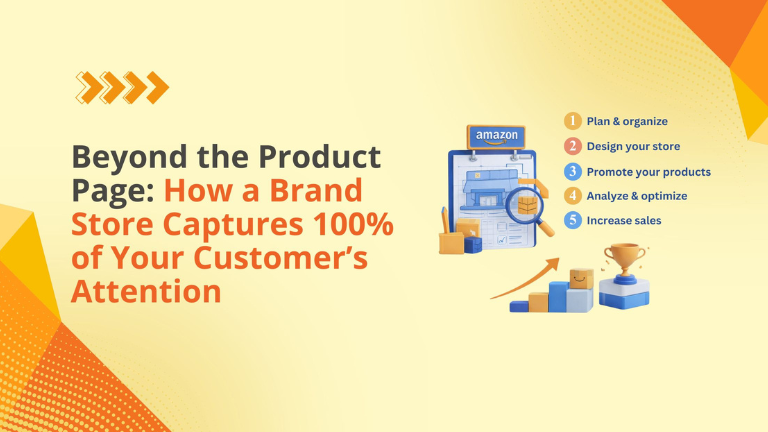
Amazon Brand Store Quality Is Now Based on Sales, Not Engagement

Amazon quietly made a change that impacts every Brand Registered seller running Sponsored Brands, building Storefront traffic, or investing in “brand experience” design. Amazon announced that Brand Store quality ratings now reflect sales performance more than engagement signals like dwell time.  For sellers, this is not a cosmetic update. It’s a measurement change that influences how Amazon wants you to think about your Store: Not as a “storytelling page” Not as a “catalog” But as a revenue engine designed to convert shopper intent into purchases If your Store is getting visits but not producing Store-attributed sales, your rating can slide to Medium or Low—even if the Store looks polished. This guide breaks down exactly what changed, why Amazon did it, how to check your rating, and a practical playbook to optimize your Store like a sales funnel. What Changed in Amazon Brand Store Quality Ratings  Amazon’s “Brand Store quality rating” classifies Stores as High, Medium, or Low. Historically, the quality framework emphasized engagement—especially dwell time, the amount of time shoppers spent browsing your Store. Amazon’s own 2024 announcement highlights engagement comparisons and dwell time as a key behavior associated with higher quality ratings.  Now, Amazon states that the quality rating experience has been updated so that: Your Store quality rating is based on sales attributed to your storefront rather than visitor engagement time  You can compare your sales performance with similar brands in your category  Dwell time remains visible, but the rating focuses on sales performance  Amazon also updated Store optimization recommendations to show potential impact on sales (not just dwell time), which changes how sellers should prioritize Store improvements.  Why Amazon Made This Change  Amazon’s incentives are simple: it wants every shopping surface—search, PDPs, Stores—to produce purchases. A Store that earns attention but doesn’t drive sales is less useful to Amazon than a Store that reliably converts traffic into revenue. So the “quality” definition moved closer to Amazon’s core business goal: conversions.  Amazon backs this with an internal benchmark: high-quality Stores can see up to 97% more sales than low-quality Stores and up to 39% more than medium-quality Stores. Why This Matters for Amazon Sellers This change affects how you build, traffic, and measure your Store. 1) Sponsored Brands traffic becomes higher-risk (and higher upside) Many sellers send Sponsored Brands clicks directly to the Store. If the Store isn’t designed to guide action, you’ll “pay for browsing.” Under the new model, that can hurt the Store’s perceived quality. 2) Your Store must reduce decision fatigue Stores that dump every SKU on one page feel “complete,” but they don’t help shoppers decide. Sales-first Stores curate decisions: Best sellers New arrivals with proof Category-specific “Shop by need” Bundles or routines 3) Design without conversion intent is now a liability A gorgeous Store can still fail if: It hides best sellers below the fold It lacks “next click” guidance It doesn’t segment products by customer intent It sends shoppers to weak PDPs (bad images, weak bullets, no A+) Where to Check Your Brand Store Quality Rating  Amazon states you can access this inside the Advertising Console: Advertising Console → Brand Store Insights dashboard → “Brand Store quality” tab  Amazon also lists broad availability across regions (including US/Canada/Mexico, many EU marketplaces, UAE/Saudi/Egypt, and Asia Pacific markets like Japan/India/Singapore).  The Sales-First Brand Store Playbook  Step 1: Build “Buying Paths” (not pages) Your Store should answer: What should I buy next? A simple sales path structure: Entry page (intent match): “Best Sellers” + “Shop by Need” Collection page: 6–12 curated products max Product detail click: benefit-led tiles, clear CTA PDP conversion: images, offer, A+, reviews, trust If your entry page is mostly branding, many shoppers won’t take the next step. Step 2: Put Revenue Drivers Above the Fold Above the fold = the first screen on mobile. Prioritize: Best sellers (highest conversion proof) Highest margin items (profit focus) Review-rich ASINs (trust focus) Seasonal winners (timely relevance) Step 3: Use Collections to Increase AOV Stores are ideal for cross-selling, because shoppers are still exploring. Create collections like: “Complete the set” “Best sellers under $X” “New year essentials” “Most gifted” “Bundles & value packs” Step 4: Tighten Store → PDP flow Common friction points: Vague category names (“Explore”) Too many products per row No benefit copy (only product names) Weak PDP creative (low image count, no clarity, no comparison) A Store can’t “carry” a weak PDP. It can only deliver traffic to it. Step 5: Make Store optimization a monthly CRO routine Amazon’s update pushes Stores toward conversion rate optimization thinking (testing + iteration). Sales-Focused Store Audit Checklist  Use this checklist to identify the fastest wins: Entry Page (Homepage) Do your best sellers appear in the first scroll (mobile)? Is there a “Shop by Need” or “Shop by Category” section within 1 scroll? Do you have a clear primary CTA (Best Sellers / Bundles / Shop Now)? Navigation & Collections Are collections built by intent (problem/solution) rather than internal catalog logic? Are you limiting collections to curated options (not 40+ SKUs)? Do collections include benefit-led copy, not just product names? Product Tiles & Click-Through Do tiles communicate “why buy” in 2 seconds? Are images consistent and recognizable (brand system)? Are you using strong micro-CTAs (Shop Best Sellers / Build Your Bundle)? PDP Readiness (critical) Are PDPs optimized to convert Store traffic (images, title, bullets, A+)? Are best-seller PDPs the ones receiving Store traffic first? Measurement Are you tracking Store-attributed sales alongside Sponsored Brands performance? Are you comparing sections/pages to see where shoppers drop off? Common Mistakes That Will Cost You Under the New Rating  Leading with brand story instead of buying intent Treating the Store like a catalog dump No clear “next click” guidance Sending traffic to weak PDPs Not curating for mobile-first shopping How Big Internet Ecommerce Helps  At BigInternetEcommerce.com, we treat Brand Stores as performance assets, not design-only projects. Our Store optimization approach includes: Sales-first Store audit (entry path + conversion leaks) Store rebuild into buying paths (intent-based navigation + collections) Tile + banner

Amazon Brand Store Quality Is Now Based on Sales, Not Engagement Read More »

Scroll to Top