Big Internet Seller Services Inc provides e-commerce Services

Get your first Product Photoshoot for FREE! Learn More

December 2025

Amazon AI shopping assistant

Amazon AI Shopping Assistants Are Changing Search — What Sellers Must Do Now

Amazon search is entering a new era. With the rise of AI shopping assistants like Amazon Rufus, shoppers are no longer browsing search results the way they used to. Instead, AI tools interpret intent, compare products, and guide buyers toward a decision — sometimes without ever showing traditional listings. For Amazon sellers, this marks a fundamental shift in how visibility, trust, and conversions are earned. How Amazon AI Shopping Assistants Work  Amazon’s AI shopping assistant uses: Natural-language understanding Product metadata Reviews & ratings Pricing and availability Historical conversion data Instead of ranking by keywords alone, AI evaluates which product best solves the shopper’s problem. This aligns with Amazon’s broader investment in AI infrastructure through AWS and agentic commerce initiatives (Source: Reuters, CNBC). Why This Changes Everything for Sellers Discovery is compressed Poor listings disappear faster Conversion performance feeds AI visibility Brand Stores act as decision paths Ads must reinforce trust, not just clicks High-quality listings now act as training data for AI recommendations. How Sellers Should Adapt Sellers must: Optimize listings for clarity, not fluff Reduce return rates Improve review velocity & sentiment Align pricing across channels Build Brand Stores as guided funnels Run ads that convert consistently At Big Internet Ecommerce, we help sellers prepare for AI-led discovery with conversion-focused listing, Store, and PPC strategies. AI is shaping the future of Amazon search. Schedule a call to make sure your catalog is ready.  Follow Big Internet Ecommerce (BIE) on Instagram & LinkedIn to stay updated with the latest trends in Amazon selling.

Amazon AI Shopping Assistants Are Changing Search — What Sellers Must Do Now Read More »

Amazon Brand Store quality rating

Amazon Brand Store Quality Is Now Based on Sales, Not Engagement

Amazon quietly made a change that impacts every Brand Registered seller running Sponsored Brands, building Storefront traffic, or investing in “brand experience” design. Amazon announced that Brand Store quality ratings now reflect sales performance more than engagement signals like dwell time.  For sellers, this is not a cosmetic update. It’s a measurement change that influences how Amazon wants you to think about your Store: Not as a “storytelling page” Not as a “catalog” But as a revenue engine designed to convert shopper intent into purchases If your Store is getting visits but not producing Store-attributed sales, your rating can slide to Medium or Low—even if the Store looks polished. This guide breaks down exactly what changed, why Amazon did it, how to check your rating, and a practical playbook to optimize your Store like a sales funnel. What Changed in Amazon Brand Store Quality Ratings  Amazon’s “Brand Store quality rating” classifies Stores as High, Medium, or Low. Historically, the quality framework emphasized engagement—especially dwell time, the amount of time shoppers spent browsing your Store. Amazon’s own 2024 announcement highlights engagement comparisons and dwell time as a key behavior associated with higher quality ratings.  Now, Amazon states that the quality rating experience has been updated so that: Your Store quality rating is based on sales attributed to your storefront rather than visitor engagement time  You can compare your sales performance with similar brands in your category  Dwell time remains visible, but the rating focuses on sales performance  Amazon also updated Store optimization recommendations to show potential impact on sales (not just dwell time), which changes how sellers should prioritize Store improvements.  Why Amazon Made This Change  Amazon’s incentives are simple: it wants every shopping surface—search, PDPs, Stores—to produce purchases. A Store that earns attention but doesn’t drive sales is less useful to Amazon than a Store that reliably converts traffic into revenue. So the “quality” definition moved closer to Amazon’s core business goal: conversions.  Amazon backs this with an internal benchmark: high-quality Stores can see up to 97% more sales than low-quality Stores and up to 39% more than medium-quality Stores. Why This Matters for Amazon Sellers This change affects how you build, traffic, and measure your Store. 1) Sponsored Brands traffic becomes higher-risk (and higher upside) Many sellers send Sponsored Brands clicks directly to the Store. If the Store isn’t designed to guide action, you’ll “pay for browsing.” Under the new model, that can hurt the Store’s perceived quality. 2) Your Store must reduce decision fatigue Stores that dump every SKU on one page feel “complete,” but they don’t help shoppers decide. Sales-first Stores curate decisions: Best sellers New arrivals with proof Category-specific “Shop by need” Bundles or routines 3) Design without conversion intent is now a liability A gorgeous Store can still fail if: It hides best sellers below the fold It lacks “next click” guidance It doesn’t segment products by customer intent It sends shoppers to weak PDPs (bad images, weak bullets, no A+) Where to Check Your Brand Store Quality Rating  Amazon states you can access this inside the Advertising Console: Advertising Console → Brand Store Insights dashboard → “Brand Store quality” tab  Amazon also lists broad availability across regions (including US/Canada/Mexico, many EU marketplaces, UAE/Saudi/Egypt, and Asia Pacific markets like Japan/India/Singapore).  The Sales-First Brand Store Playbook  Step 1: Build “Buying Paths” (not pages) Your Store should answer: What should I buy next? A simple sales path structure: Entry page (intent match): “Best Sellers” + “Shop by Need” Collection page: 6–12 curated products max Product detail click: benefit-led tiles, clear CTA PDP conversion: images, offer, A+, reviews, trust If your entry page is mostly branding, many shoppers won’t take the next step. Step 2: Put Revenue Drivers Above the Fold Above the fold = the first screen on mobile. Prioritize: Best sellers (highest conversion proof) Highest margin items (profit focus) Review-rich ASINs (trust focus) Seasonal winners (timely relevance) Step 3: Use Collections to Increase AOV Stores are ideal for cross-selling, because shoppers are still exploring. Create collections like: “Complete the set” “Best sellers under $X” “New year essentials” “Most gifted” “Bundles & value packs” Step 4: Tighten Store → PDP flow Common friction points: Vague category names (“Explore”) Too many products per row No benefit copy (only product names) Weak PDP creative (low image count, no clarity, no comparison) A Store can’t “carry” a weak PDP. It can only deliver traffic to it. Step 5: Make Store optimization a monthly CRO routine Amazon’s update pushes Stores toward conversion rate optimization thinking (testing + iteration). Sales-Focused Store Audit Checklist  Use this checklist to identify the fastest wins: Entry Page (Homepage) Do your best sellers appear in the first scroll (mobile)? Is there a “Shop by Need” or “Shop by Category” section within 1 scroll? Do you have a clear primary CTA (Best Sellers / Bundles / Shop Now)? Navigation & Collections Are collections built by intent (problem/solution) rather than internal catalog logic? Are you limiting collections to curated options (not 40+ SKUs)? Do collections include benefit-led copy, not just product names? Product Tiles & Click-Through Do tiles communicate “why buy” in 2 seconds? Are images consistent and recognizable (brand system)? Are you using strong micro-CTAs (Shop Best Sellers / Build Your Bundle)? PDP Readiness (critical) Are PDPs optimized to convert Store traffic (images, title, bullets, A+)? Are best-seller PDPs the ones receiving Store traffic first? Measurement Are you tracking Store-attributed sales alongside Sponsored Brands performance? Are you comparing sections/pages to see where shoppers drop off? Common Mistakes That Will Cost You Under the New Rating  Leading with brand story instead of buying intent Treating the Store like a catalog dump No clear “next click” guidance Sending traffic to weak PDPs Not curating for mobile-first shopping How Big Internet Ecommerce Helps  At BigInternetEcommerce.com, we treat Brand Stores as performance assets, not design-only projects. Our Store optimization approach includes: Sales-first Store audit (entry path + conversion leaks) Store rebuild into buying paths (intent-based navigation + collections) Tile + banner


Amazon Brand Store Quality Is Now Based on Sales, Not Engagement Read More »

Amazon FBA Grade and Resell ASIN Inclusion Feature

How Amazon’s FBA Grade and Resell ASIN Inclusion Feature Helps Sellers Recover More Revenue

Returns are one of the biggest hidden costs for Amazon sellers. With return rates approaching 30% across ecommerce, many FBA businesses quietly absorb losses through storage fees, removals, and disposals. Amazon’s FBA Grade and Resell ASIN Inclusion Feature changes that equation by giving sellers ASIN-level control over which returned products are graded and resold. This update marks a shift from passive return handling to active recovery strategy. What Is the Amazon FBA Grade and Resell ASIN Inclusion Feature? The ASIN Inclusion Feature allows sellers to: Enroll specific ASINs only Handpick up to 2,000 products Apply condition-based pricing Track recovery performance in Seller Central Automatically remove inactive SKUs Instead of enrolling your entire catalog, you focus on products that maintain resale value. Why This Matters for Amazon Sellers Better Margin Recovery Durable products recover significantly more value when graded and resold. Lower Operational Waste You avoid paying processing fees on products that don’t sell well after return. Cleaner Inventory Management Automatic out-of-stock removal prevents fee leakage. Predictable Returns Strategy Returns become measurable, optimizable, and forecastable. According to Amazon data and third-party seller reports, sellers who actively manage return recovery see material improvements in net profitability. Best Practices for ASIN Inclusion Start with high-return, durable ASINs Exclude trend-driven or fragile products Set conservative pricing floors Review recovery dashboards monthly Adjust ASIN selection based on performance data How Big Internet Ecommerce Helps Sellers Implement This At BigInternetEcommerce.com, we help sellers: Analyze return trends by ASIN Identify high-recovery opportunities Configure Grade & Resell pricing rules Align returns strategy with inventory planning Reduce unnecessary removal and storage costs Learn more about our Amazon inventory and profitability optimization services. Amazon is giving sellers more control — but control only creates value when used correctly. Handled well, the FBA Grade and Resell ASIN Inclusion Feature turns returns into a repeatable revenue stream, not a silent loss. Schedule a call with Big Internet Ecommerce Follow Big Internet Ecommerce (BIE) on Instagram & LinkedIn to stay updated with the latest trends in Amazon selling.

How Amazon’s FBA Grade and Resell ASIN Inclusion Feature Helps Sellers Recover More Revenue Read More »

Amazon seller tax report

Amazon Seller Tax Report Deadlines for 2025: What Sellers Must Prepare Before 2026

As Amazon continues to tighten compliance across its marketplace, tax reporting has become a critical part of account health. For the 2025 tax year, sellers who cross specific thresholds will receive Form 1099-K, issued directly through Seller Central. Understanding the Amazon seller tax report process, updated IRS rules, and required documentation helps sellers avoid delays, penalties, and operational disruptions heading into 2026. Updated 1099-K Thresholds for Amazon Sellers For 2025, Amazon will issue Form 1099-K to sellers who exceed: $20,000 in gross sales 200 transactions The form reports gross payment volume, not profit. This distinction is crucial when preparing accurate tax filings. Sellers can access their documents via the Seller Central Tax Document Library, provided the primary account holder is logged in. Why Sellers Must Prepare Before Year-End  Expired Tax Forms Create Risk Non-US sellers must ensure Form W-8 is valid. Expired forms can: Delay tax document issuance Trigger compliance flags Impact disbursements Multiple Forms May Apply Sellers may also encounter: 1099-NEC (contractors & freelancers) 1099-MISC (other income) All income remains taxable — even if a form is not issued. How Sellers Should Prepare Their Amazon Tax Reports Best practices include: Reconciling gross sales vs net profit Tracking Amazon fees, refunds, ads, and shipping Maintaining records for all payment sources Coordinating with a tax professional early Tools inside Seller Central combined with structured reporting reduce year-end stress significantly. How Big Internet Ecommerce Supports Sellers At BigInternetEcommerce.com, we help sellers: Audit Seller Central tax readiness Reconcile sales, fees, and payouts Prepare clean financial summaries for CPAs Reduce risk heading into tax season Need help reviewing your Amazon account before tax season? Schedule a call with Big Internet Ecommerce Follow Big Internet Ecommerce (BIE) on Instagram & LinkedIn to stay updated with the latest trends in Amazon selling.

Amazon Seller Tax Report Deadlines for 2025: What Sellers Must Prepare Before 2026 Read More »

Amazon Fee Explainer tool

Amazon’s Fee Explainer Tool: How Sellers Can Finally Understand and Control Their True Costs

For years, Amazon sellers have operated with partial visibility into their true costs. While sales dashboards showed revenue, fees were often buried inside reports — making it difficult to understand why margins fluctuated. Amazon’s newly launched Fee Explainer tool changes this by giving sellers transparent, itemized explanations of every fee charged. This update marks a critical shift toward financial clarity — and smarter seller decision-making. What Is Amazon’s Fee Explainer Tool? The Fee Explainer tool allows sellers to click into any transaction inside Seller Central and view: Fee definitions Calculation factors The exact formula used It covers key charges such as: Referral fees Subscription fees Return and refund administration fees High-return rate processing fees Removal and disposal fees This eliminates guesswork and reduces dependency on third-party calculators. Why Fee Transparency Matters More Than Ever  According to industry data, average Amazon seller margins have compressed due to: Increased FBA and AWD fees Higher advertising CPCs Rising logistics and sourcing costs Without precise fee understanding, sellers risk: Underpricing products Scaling unprofitable ASINs Misreading PPC performance Amazon’s tool helps sellers align pricing, advertising, and inventory decisions with real costs. How Sellers Should Use the Fee Explainer Tool  1. Recalculate True Product Margins Use fee formulas to calculate net profit per ASIN, not just gross margin. 2. Optimize Pricing Strategically Small pricing changes can offset rising fees without hurting conversion — if based on real data. 3. Identify Hidden Cost Leaks High return fees, removals, or disposal costs often signal: Listing issues Product quality problems Incorrect targeting 4. Improve Portfolio Decisions Fee transparency helps decide: Which ASINs to scale Which to optimize Which to exit How Big Internet Ecommerce Helps Sellers Go Further At Big Internet Ecommerce, we integrate Fee Explainer data with: Amazon Ads performance Inventory & replenishment planning Pricing and Buy Box strategy Our team helps sellers turn Amazon’s fee transparency into profit-driven decisions, not just reports. If you want help using Amazon’s Fee Explainer tool to increase margins and reduce waste, book a strategy call with us today! Follow Big Internet Ecommerce (BIE) on Instagram & LinkedIn to stay updated with the latest trends in Amazon selling.

Amazon’s Fee Explainer Tool: How Sellers Can Finally Understand and Control Their True Costs Read More »

Amazon DSP Video Ads Off-Amazon

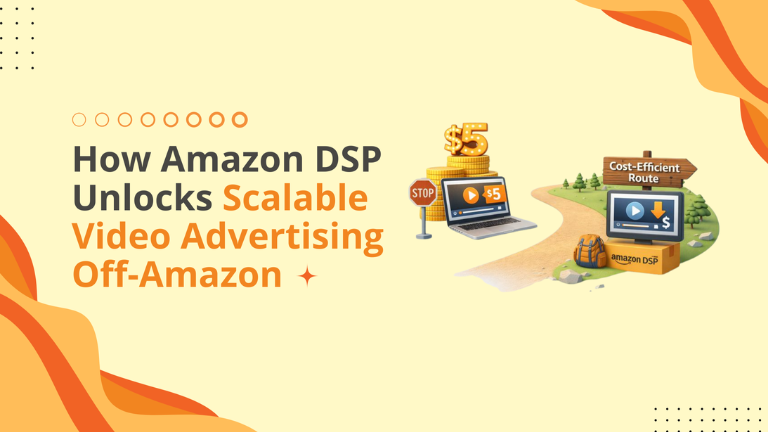
How Amazon DSP Unlocks Scalable Video Advertising Off-Amazon

Video is one of the most engaging ad formats on Amazon and has been shown to drive significantly higher engagement and conversion signals compared to static ads. Sponsored Brands Video (SBV) ads can improve visibility and click-through rates in search results. But there is a ceiling. There are only so many people searching for your keyword every day. To grow beyond the search bar, you need to go where the audience lives: The Open Web. Through Amazon DSP, you can now run Online Video (OLV) ads on premium third-party publishers. What is OLV? OLV stands for Online Video. Unlike “Streaming TV” (which runs on a TV screen and isn’t clickable), OLV runs on desktop and mobile browsers. It appears: In articles, before news clips (pre-roll), or in-feed on apps. It is clickable: The customer watches the video and can click directly to your Amazon listing. Why This Matters: A vast majority of digital content consumption now happens on mobile devices, and consumers spend much of their time outside shopping platforms, consuming entertainment, news, and social media. If you only advertise on Amazon, you risk missing impressions where buyers spend much of their day. The “Awareness” Arbitrage Off-Amazon DSP placements (like OLV) can offer more cost-efficient impressions than high-demand on-platform slots like search placements or Streaming TV ads. By using video to build awareness and interest, you can increase branded searches and engagement on Amazon later, creating a broader full-funnel strategy. Search Strategy: You pay $5.00 for a click because the user is ready to buy right now. DSP Strategy: You pay pennies for a video view to make them want to buy later. By feeding the “Top of the Funnel” with cheap video views, you create more branded searches on Amazon, which are cheaper and convert higher. Where Big Internet Ecommerce Fits In Running programmatic video sounds complex. We make it simple. Audience Curation: We don’t want your ad on random gaming sites. We use “Allow Lists” to ensure your ad only appears on Premium Publishers (CNN, Forbes, Food & Wine, etc.) that align with your brand prestige. Creative “Hook” Edits: A video that works on a product page (slow, detailed) fails as an ad (needs to be fast). We edit your footage to have a “3-Second Hook” that stops the scroll. Full-Funnel Measurement: We don’t just report “Views.” We report “Search Lift.” We show you that after running the video campaign, searches for your brand name increased by 40%. The internet is a big place. Stop banking on the Amazon search bar only. Book a 20-min session with BigInternetEcommerce.com today! Book a call to get your customized strategy roadmap today. Follow Big Internet Ecommerce (BIE) on Instagram & LinkedIn to stay updated with the latest trends in Amazon selling.

How Amazon DSP Unlocks Scalable Video Advertising Off-Amazon Read More »

Amazon Marketing Cloud for Small Business

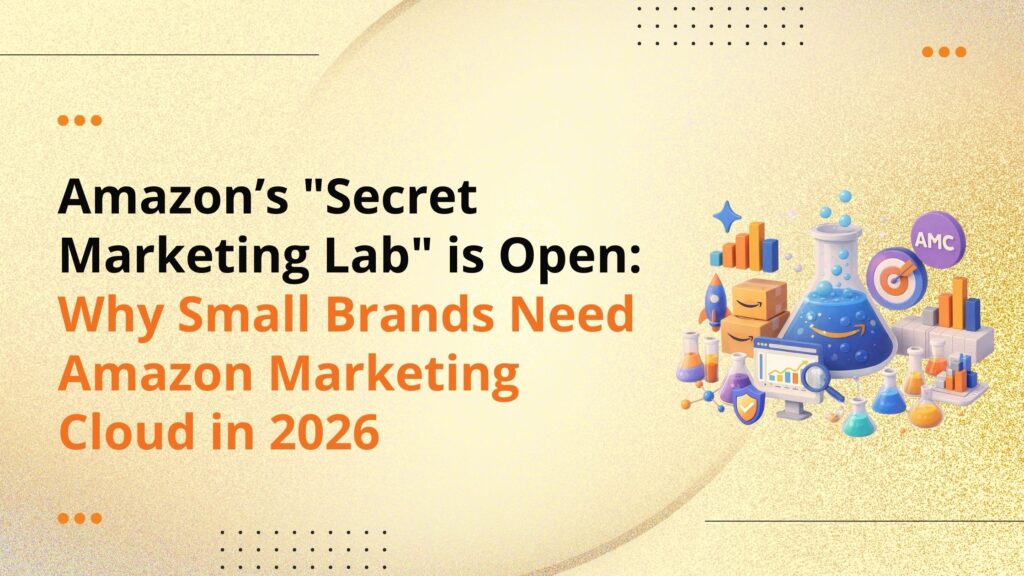
Amazon’s “Secret Marketing Lab” is Open: Why Small Brands Need Amazon Marketing Cloud in 2026

For a long time, Amazon sellers had basically two tiers of data: The Common Data: Seller Central reports (Clicks, CPC, Sales). The Elite Data: Amazon Marketing Cloud (AMC), reserved for massive brands/advertisers with data science teams. In 2026, the friction is gone. Amazon has made AMC significantly easier to access, and if you aren’t using it, you are competing against people who are using it. What is AMC?  Think of Seller Central as a receipt. It tells you what happened at the register. Think of AMC as a security camera tape. It shows the customer walking into the store, looking at the shelf, picking up an item, putting it back, seeing a sign, and then returning to make a purchase. It helps you connect Ad Signals (Impressions/Clicks) with Retail Signals (Add-to-Cart/Purchase) across the entire Amazon ecosystem. The “No-Code” Revolution The reason you didn’t use AMC before was likely SQL (Structured Query Language). You didn’t know how to write code to ask the database a question. Amazon now offers AI-powered “Natural Language” query builders. You can literally type: “What is the conversion rate of customers who saw a video ad vs. a static ad?” and the system provides the information. Three Types of Optimization for Small Brands in AMC The “Path to Conversion” You can finally see the multi-touch journey. Insight: You might discover that 40% of your sales start with a “Sponsored Display” view, even though Sponsored Display shows a low ROAS. Action: You realize Display is your “Feeder,” and you scale it up instead of cutting it. Custom Audience Creation Seller Central allows broad targeting (e.g., “Retarget visitors”). AMC allows surgical targeting. Audience: “Users who bought my Coffee Machine in the last 6 months but have NOT bought Descaling Solution.” Action: Push this audience to a Sponsored Product campaign for Descaling Solution. The conversion rate on this is astronomical. The “Time to Purchase” Histogram How long does it take a customer to decide? AMC can show you that 80% of your customers buy within 24 hours of their first click, but 20% take 7 days. Action: You set your retargeting windows to 7 days to capture the laggards without wasting money on day 8. But you should note that AMC gives raw analytic capabilities, not predefined dashboards. Where Big Internet Ecommerce Fits In We act as your “Data Translators.” Instance Setup: We get your AMC instance spun up and connected to your AWS (Amazon Web Services) account correctly. Strategic Querying: We know which questions to ask. We run our standard “Health Check” queries to find wasted ad spend and missed LTV opportunities. Actionable Dashboards: We don’t just give you a spreadsheet. We visualize the data so you can make a “Yes/No” decision on your ad budget in minutes. The tool is easier to use now. And the insights are priceless. Book a 20-min session with BigInternetEcommerce.com today! Book a call to get your customized strategy roadmap today. Follow Big Internet Ecommerce (BIE) on Instagram & LinkedIn to stay updated with the latest trends in Amazon selling.

Amazon’s “Secret Marketing Lab” is Open: Why Small Brands Need Amazon Marketing Cloud in 2026 Read More »

Amazon Alexa Home Screen Ads DSP

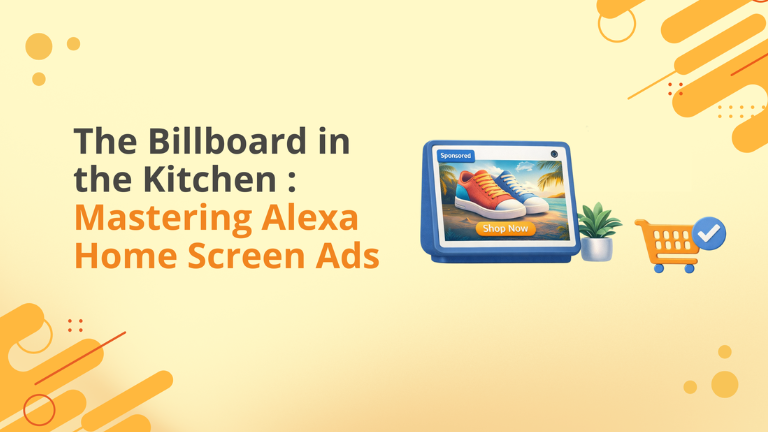
The Billboard in the Kitchen: Mastering Alexa Home Screen Ads

The main thing about advertising is “Right Message, Right Time, Right Place.” For years, digital ads have performed below the average at the “Place.” We reached people on their phones, but we couldn’t reach them in their environment. With Alexa Home Screen (AHS) ads now available via Amazon DSP using Asset-Based Creative, that final barrier has fallen. You can now place your product on the digital screens that sit in millions of kitchens, living rooms, and bedrooms. What Are Alexa Home Screen Ads? These are display ads that appear on Amazon Echo Show devices. They appear as “cards” in the ambient rotation. When the user isn’t actively asking Alexa a question, the screen cycles through content: Weather, News, Sports Scores… and Your Ad. The “Asset-Based” Revolution Earlier, these ads were utilized mostly by massive brands with “Managed Service” contracts because they required complex coding. Now, Amazon has democratized access. Using Asset-Based Creative (ABC), you simply upload: Landscape Image: 1920×1080 px (High impact lifestyle). Logo: 400×400 px. Headline: 50 Characters max. Amazon’s system takes these ingredients and dynamically builds a native-looking ad for every Echo device size. Why This is a “Blue Ocean” for Sellers Lower CPMs: Because many sellers don’t know this method exists (or think it’s too hard to access), the CPMs (Cost Per Thousand Impressions) are likely lower than mobile web display. High Engagement: These ads are “Full Screen.” There is no sidebar. There are no other tabs. For the duration, you own the device. The Proximity Advantage: The average Echo Show viewer is standing within 3-6 feet of the device. This is an intimate, trusted space. But ads can be shown in both far‑field (when users are >4 ft away) and near‑field rotations (when closer). Where Big Internet Ecommerce Fits In Running ads in a living room requires a different touch than running ads on a search page. Creative “Vibe Check”: You cannot use a busy, text-heavy white background image (like a main search image). It looks like spam in a living room. We design “Native Lifestyle” assets that look like art, making the user want to look at them. Full-Funnel Integration: We don’t expect the Echo ad to drive the immediate sale (voice purchasing is still niche). We use the Echo ad to fill the “Retargeting Pool.” If they see the ad on Echo, we serve them a Sponsored Product ad on their phone 2 hours later to close the deal. Well-Timed Strategy: We can program your campaigns to show “Coffee” ads in the morning and “Wine Glass” ads in the evening, matching the rhythm of the household. The screen is open. But is your brand showing up on it? Book a 20-min session with BigInternetEcommerce.com today! Book a call to get your customized strategy roadmap today. Follow Big Internet Ecommerce (BIE) on Instagram & LinkedIn to stay updated with the latest trends in Amazon selling.

The Billboard in the Kitchen: Mastering Alexa Home Screen Ads Read More »

Amazon Sponsored Display Conversion Optimization

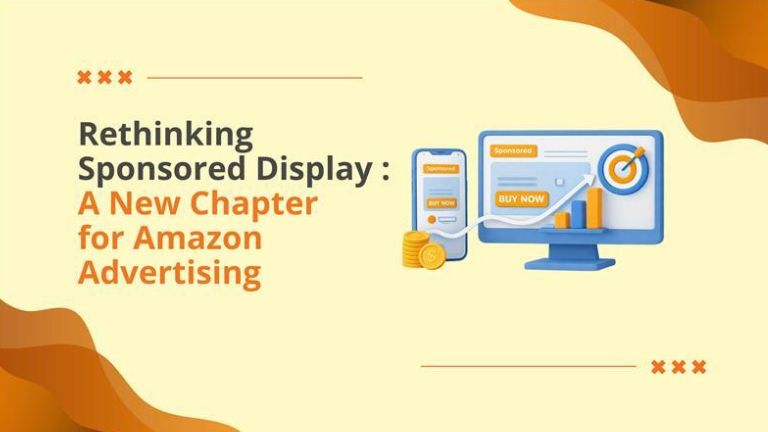
Rethinking Sponsored Display: A New Chapter for Amazon Advertising

There is a long-standing rule in Amazon PPC: If you want sales, run Sponsored Products. If you want to waste money, run Sponsored Display “Optimize for Reach”. As of late 2025, you can officially delete that rule. Amazon has quietly rolled out a massive update to the Sponsored Display (SD) algorithm that fundamentally changes how “Reach” and “Page Visit” campaigns function. The “Old” Sponsored Display Previously, when you selected “Optimize for Reach,” Amazon’s goal was simple: Spend your budget to get your ad in front of as many eyeballs as possible. It didn’t care if those eyeballs belonged to a buyer or a browser. It just wanted the View. This created a “Vanity Metric” trap. You got 1,000,000 impressions, felt good, and made $0 in sales. The “New” Sponsored Display Amazon has updated the machine learning models. Now, even when you select “Reach” or “Page Visits,” the algorithm uses Conversion Signals to decide who sees the ad. It’s a “Best of Both Worlds” scenario: Billing Model: You still pay by the View (vCPM), which is often significantly cheaper than paying for Clicks (CPC) in competitive categories. Targeting Logic: The AI filters the audience. It says, “I can show this ad to User A or User B. User A buys running shoes. User B just reads about them. I will show it to User A.” Why is This Important This allows you to do “Performance Branding.” You can run aggressive Top-of-Funnel campaigns that build awareness without destroying your ROAS (Return on Ad Spend). You are no longer choosing between “Growth” and “Profit.” You are optimizing for both simultaneously. The Reality Check To win with this new update, you have to change how you measure success. These campaigns will NOT have a high Click-Through Rate (CTR). They are Display Ads. People see them, register the brand, and buy later via search. You must look at the “View-Through Orders” column in your reports. If you optimize for Clicks, you will kill these campaigns—and the sales they are generating. Where Big Internet Ecommerce Fits In Most agencies set these campaigns and forget them. We engineer them. The “Hybrid” Test: We run a specific experiment: The same product, same budget. One campaign optimized for “Conversions” (CPC), one optimized for “Reach” (vCPM). We analyze the blended cost per acquisition to find the sweet spot. Creative Optimization: A “Reach” ad that hunts for conversions needs different text than a generic brand ad. We design creatives that have a “Soft Call to Action” to trigger that subconscious purchase intent. Budget Efficiency: We help you allocate budget away from expensive keywords and into this new, efficient layer of the funnel that your competitors are ignoring. Don’t just reach people. Convert them. Book a 20-min session with BigInternetEcommerce.com today! Book a call to get your customized strategy roadmap today. Follow Big Internet Ecommerce (BIE) on Instagram & LinkedIn to stay updated with the latest trends in Amazon selling.

Rethinking Sponsored Display: A New Chapter for Amazon Advertising Read More »

Scroll to Top